Nova Launcher is just $0.99 on Google Play until January 1st

Following its 5th anniversary, Nova Launcher Prime, the paid upgrade to the incredibly popular third-party launcher, is on sale for just $0.99 through the start of 2017.

Following its 5th anniversary, Nova Launcher Prime, the paid upgrade to the incredibly popular third-party launcher, is on sale for just $0.99 through the start of 2017.

Third-party launchers are a unique perk of the Android platform, making it easy for users to have complete control over their homescreen without much work. There are several popular options, but one of the best, and likely the most popular, has been Nova Launcher. Today, Nova is 5 years old, and there’s a big update available to celebrate.

One of the most-used customization features in Android is the ability to change your device’s launcher. This allows you to customize the look and feel of your home screen, app icons, as well as functionality of the app drawer and folders on your device. This comes especially in handy when you don’t like your device’s customized skin — like TouchWiz on Samsung devices or EMUI on Huawei devices…

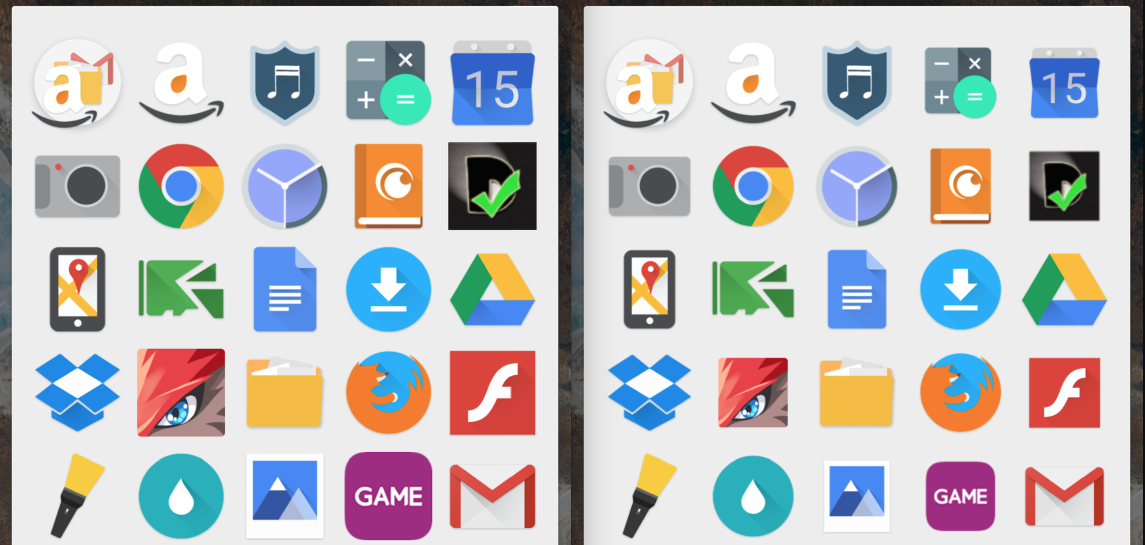
Nova Launcher is easily one of the best launchers available for Android right now. That’s mostly thanks to the fact that you can change virtually any part of the Android user interface. Whether you want to download custom icon packs, change their size, change the home screen, folder or app drawer layout, it can do virtually anything. And the latest beta version adds a couple of new, welcome additions.

Nova Launcher is one of the best launchers available for Android on the Play Store. It lets you customize virtually every part of your smartphone user interface. While the free version is great, the premium ‘Prime’ version offers far more fine-tuning capabilities and normally costs $5. For a limited time, Nova Launcher is now available for just $0.99.
Nova Launcher Prime
Unlock the following extras by purchasing Nova Launcher Prime
• Gestures – Swipe, pinch, double tap and more on the home screen to open your favorite apps
• Unread Counts – Never miss a message. Unread count badges for Hangouts, SMS, Gmail and more using the TeslaUnread plugin
• Custom Drawer Groups – Create new tabs or folders in the app drawer
• Hide Apps – Keep a clean app drawer by hiding never used apps
• Icon Swipes – Set custom actions for swiping on app shortcuts or folders
• More scroll effects – Such as Wipe, Accordion, and Throw
It’s worth noting that Nova Launcher Prime isn’t an app download in itself, rather, it acts as a license to unlock the listed features in the free Nova Launcher app. What that means in simple terms, is that you need to download and install the free version before you can head to the Play Store and pay for the Prime version.
We told you about Nova Launcher’s new icon normalization features when they came to the beta build of the app a couple of weeks ago. If you’re not a fan of running potentially buggy beta software on your daily driver, though, you might be glad to hear that this feature — along with plenty of others in the latest version — has now made it to the public build in version 4.1.0…
Expand
Expanding
Close
In case you’re uninitiated in third party launchers (which you shouldn’t be, considering Cam’s recent deep dive), Nova Launcher is definitely one of the most popular. The latest version of Nova Launcher beta is now available, and of the many new features that this version brings, the most notable is a new tweak allowing the normalization of icon sizes…
Expand
Expanding
Close
One of Android’s best features is the ability to download and install custom third-party launchers. Don’t like the way your phone home screen looks or how the apps are organized? Fine. Change it. But finding the best one, or a good one for that matter, can sometimes be a daunting challenge. And which one you think is the best ultimately depends on what you value most: aesthetics, organization or productivity? I’ve rounded up what I think are some of the best launchers out there, as well as a wild card for you to consider in your quest for the perfect Android experience.
Nova Launcher is one of the best-known and most-praised third-party launchers out there, and today it’s getting a huge Material Design aesthetic refresh and several other new features…

The talented TeslaCoil developers this afternoon updated their insanely popular Android app Nova Launcher with a variety of new features and enhancements. We just told you how to install Android “L” on your Nexus 5 or Nexus 7, but if you don’t have one of those devices or don’t want to put up with the bugs, today’s Nova Launcher update will certainly keep you satisfied.

Some iOS users might not be too happy about the big design changes in iOS 7, but Android users are already finding ways to get a few of the new features on their non-Apple phones. The image above shows a set of icons created by one Android user to mimic the new home screen icons on iOS 7 (via Cnet). Android users can grab the icons through a download on Dropbox and use Nova Launcher or other home screen replacement apps.
Android users can grab the icons through a download on Dropbox and use Nova Launcher or other home screen replacement apps to get Apple’s controversial new look on their Android device now.
That new 3D parallax effect Apple showed off for iOS 7? Android users have also found a way to get a similar 3D effect, as pointed out by AndroidCommunity in the video below:
The 3D Image Live Wallpaper seen in the video above has been on Google Play since November, but you’ll have to judge for yourself to see if it compares to the new parallax feature in iOS 7.