

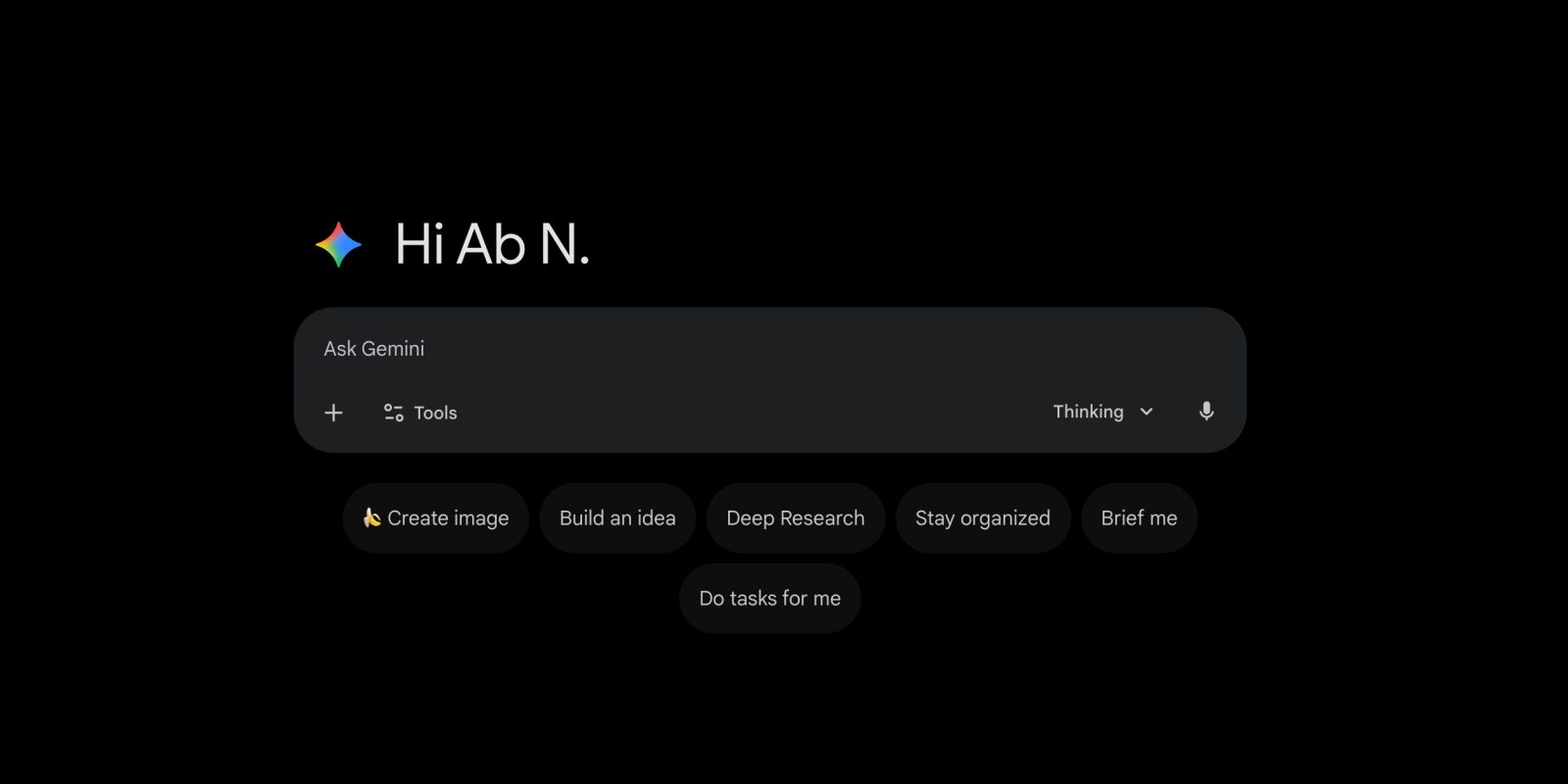
Following Android and iOS last month, the Gemini web app is getting its redesign, with Google aiming for a “clean, modern look.”
The greeting changes from “Hello” to “Hi” and is now accompanied by the Gemini spark at the left, with the previous website only just showing the logo as the favicon. There’s a fun rotating animation on the initial page load.
The prompt box no longer has a faint outline container, with a slight tweak that centers the suggestion pills underneath.
Separate from this redesign, gemini.google.com recently gained a direct Google “Photos” picker in the ‘plus’ menu, just like Drive. This saves you from having to manually download and then upload.
Old vs. new
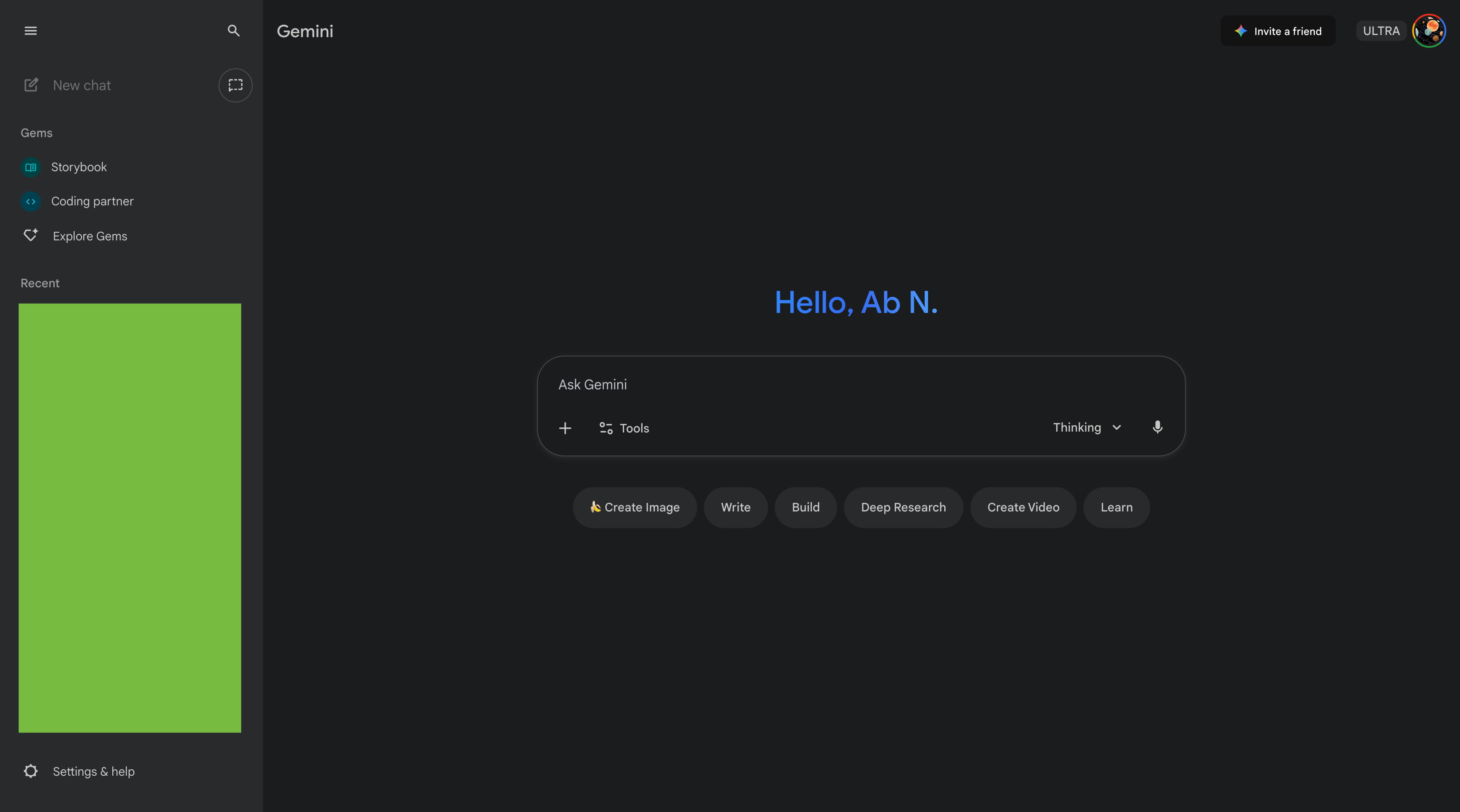
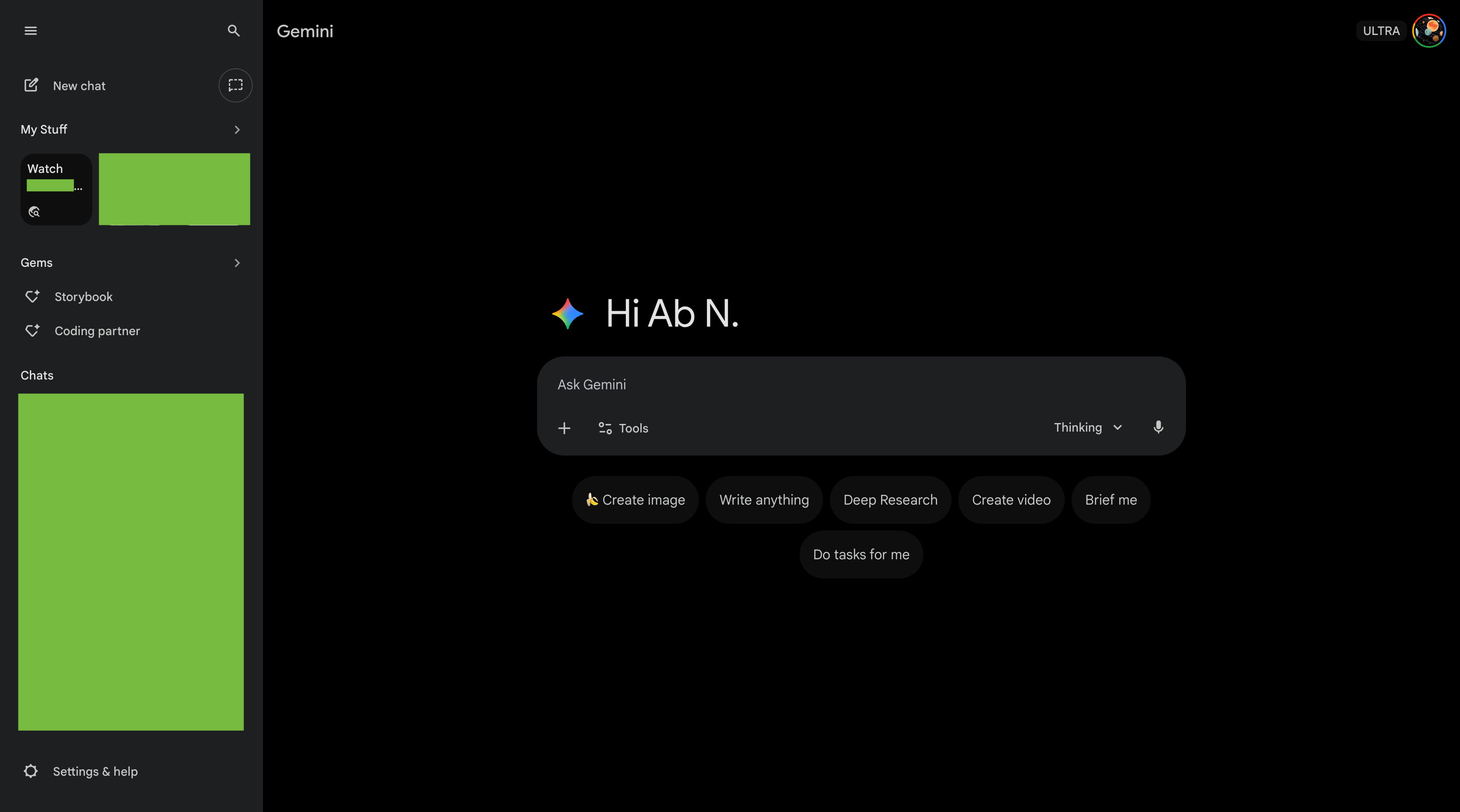
On the homepage (only), Gemini’s dark theme goes from gray to black, though the prompt box and navigation rail/drawer keep the same color. The light theme also gets a touch darker, but there are no changes to conversations.
In the nav drawer, you’ll find a new “My Stuff” section, with three items previewed. This folder shows images, videos, Canvas creations, and other generations. Tap to get a fullscreen view: gemini.google.com/mystuff.
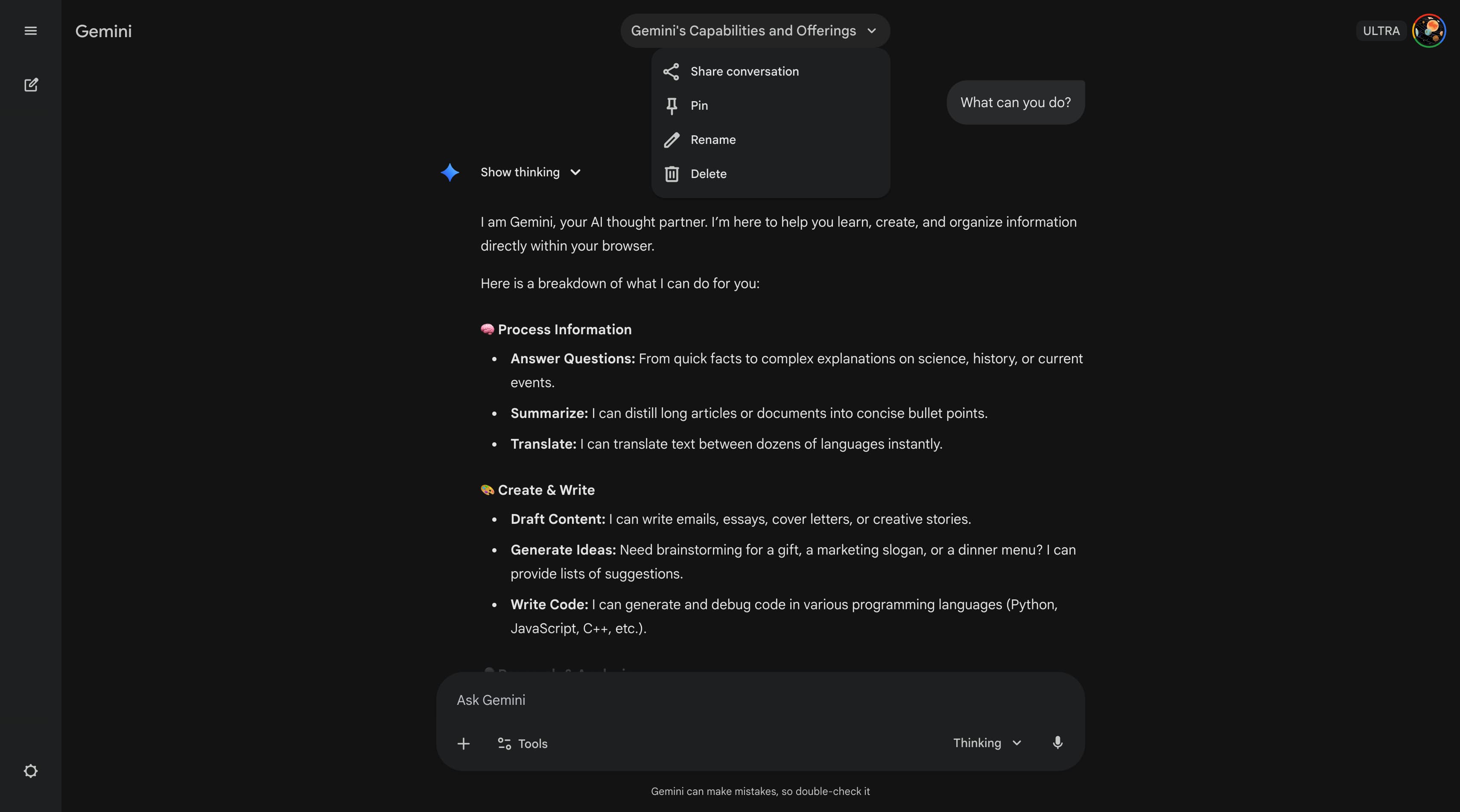
In conversations, there’s a new dropdown menu when clicking the chat name to Share conversation, Pin, Rename, and Delete.
This has been slowly rolling out in recent weeks, but Gemini’s web redesign is now seeing wide availability today.
More on Gemini:
- Google launches Workspace Studio to create automated Gemini-powered agents
- Google changes Gemini 3 Pro free access limits due to ‘high demand’
- Google Maps starts rolling out Gemini for all navigation modes


FTC: We use income earning auto affiliate links. More.


Comments