

There was a genericness to the first wave of AI features in Google products. Absolutely everyone was doing straightforward text and image generation, and that contributed to the tacked-on nature. Fortunately, we’ve moved past that and Gemini integrations are starting to feel highly unique and play to Google’s strengths.
Google kicked off the year with Gmail and AI Overviews that significantly revitalized search by immediately showing the answer to your question. Emails are absolutely one area where I think everyone can agree that getting the answer immediately is okay.
Instead of hunting for keywords or digging through a year of emails, just use natural language, like “Who was the plumber that gave me a quote for the bathroom renovation last year?” Gemini’s advanced reasoning pulls the answer, instantly summarizing the exact details you need.
Then there’s the “future of Gmail” that is AI Inbox. Google frames it as a personal briefing that shows actions to do first followed by “Topics to catch up on” that aren’t as time-sensitive.
I think there’s a big shift with AI Inbox and AI Overviews that Google is slowly moving towards where emails are no longer the thing you actively interact with. You’ll still be able to access the message, but it’s ultimately abstracted away in favor of the information and action you need to take.
For an email app, this will be a big change, with AI Inbox requiring a mindset change and level of trust that hasn’t been achieved just yet.
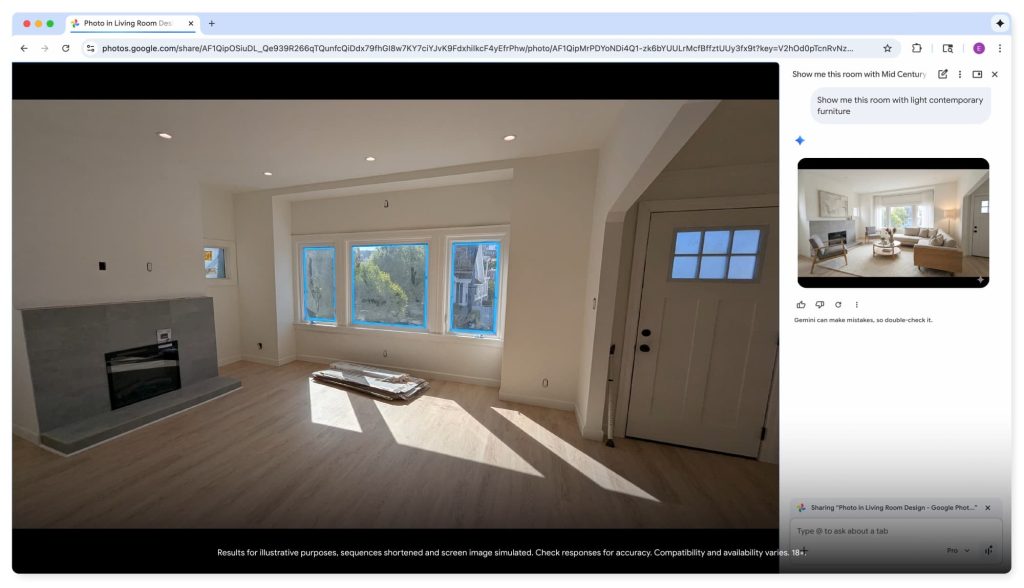
Google closed January with what I consider major upgrades to Gemini in Chrome. Instead of a floating window, it’s now a side panel at the right (or left — chrome://settings/?search=side+panel+position) of your screen. For me, this is making all the difference. As an ignorable window floating over the tab you’re viewing, it never became a part of my day-to-day habit. I much preferred gemini.google.com, even though the browser implementation allowed the page you’re viewing to be used as context.
What’s ultimately a simple design change makes Gemini in Chrome feel much more integrated. Similarly, Nano Banana can be invoked without having to manually download and upload images to Gemini. Chrome will do that work for you in another boost to convenience and context.
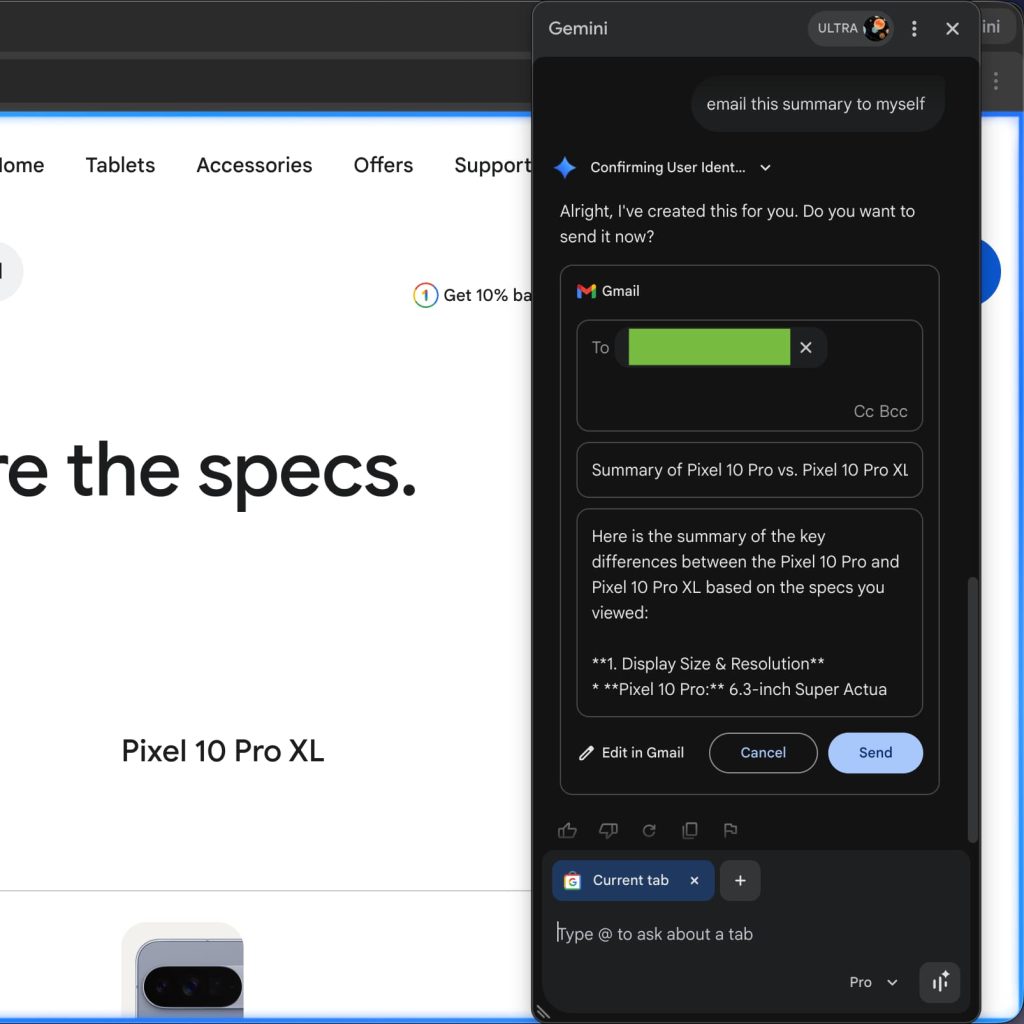
Meanwhile, I am loving the ability to send emails right from Gemini in Chrome. This feature debuted for the browser and allows you to email the contents of your conversation or anything else, and press send without leaving the side panel. It’s not really an AI feature in the grand scheme of things but rather an integration.
My — unsurprising — takeaway is that the UI and UX of AI play such an important role in shaping its perceived capabilities and utility. While Gemini in Chrome felt tacked-on, it now feels like a natural extension of the browser.
Then there’s Chrome auto browse, which probably could have better branding. In the Google ecosystem, this will be most people’s first interaction with complex computer use that goes beyond scrolling the page (which was possible with Gemini Live in Chrome last year). Available to AI Pro and above in the US, Google’s fundamental pitch is right:
For years, Chrome autofill has handled the small stuff, like automatically entering your address or credit card, to help you finish tasks faster. Today, Chrome is advancing beyond simple tasks to helping with agentic action, allowing you to offload complex travel logistics or get help with professional workflows.
However, I think trust and adoption will be an uphill battle. The challenge will be getting people to realize when it will be useful in their lives. You have to start with something low-stakes, but that will be different for every person. It mirrors the broader problem of how AI is the hardest thing to market because utility is hyper-specific.
The third thing of note this month is Personal Intelligence in the Gemini app and AI Mode. It shows that Google is very much on its way to building a personal assistant that is personal, proactive, and powerful. I hope we start to see how proactive Gemini can be in the coming months.
The updates to Gmail, Chrome, and Personal Intelligence would have easily headlined a Google I/O, but we instead got everything in January. These are major updates to Google’s most important products that will eventually come to all users. It’s a promising start that makes me beyond excited about what the conference actually brings.


FTC: We use income earning auto affiliate links. More.


Comments