

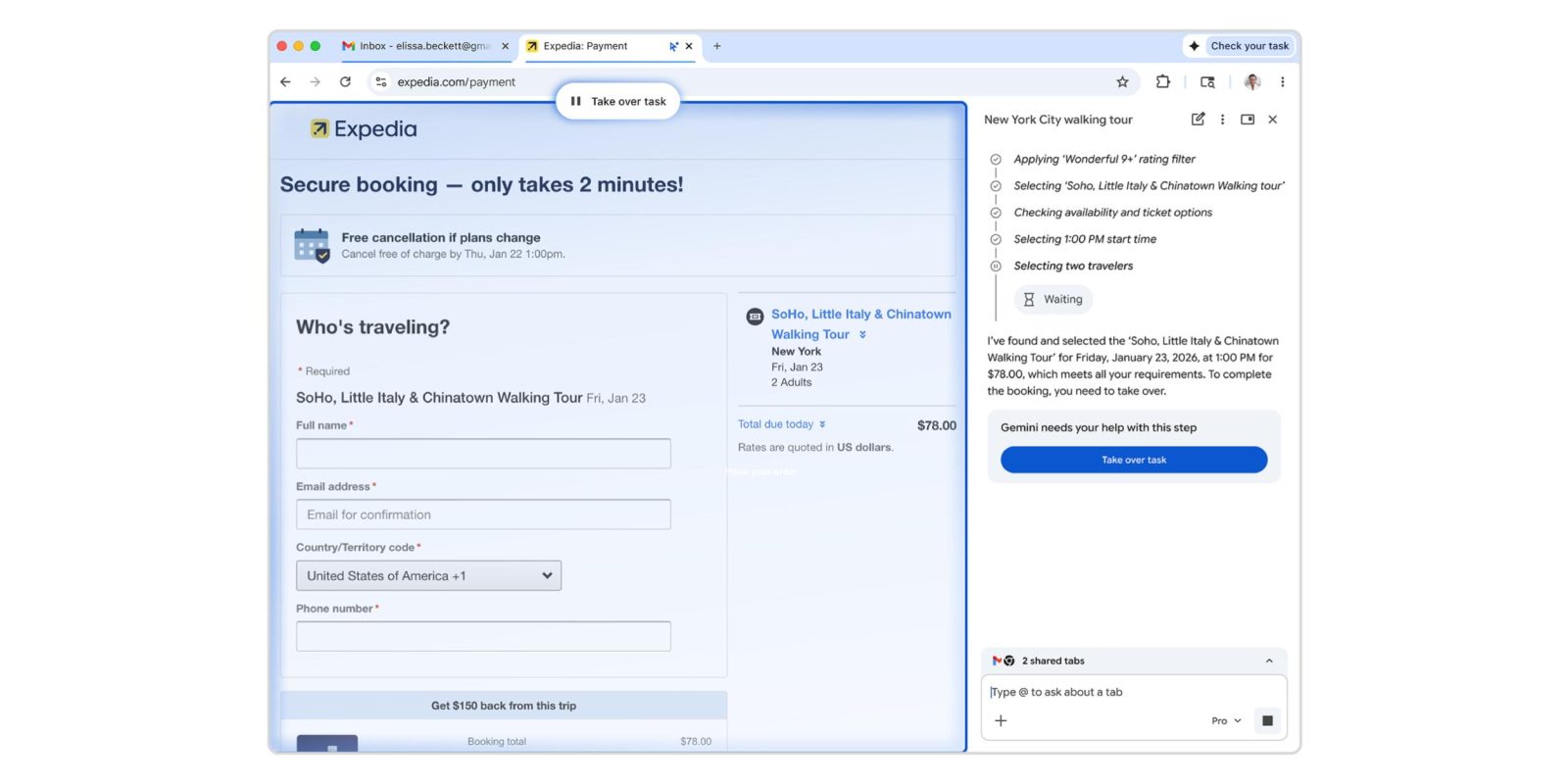
Google today announced “Chrome auto browse” as a “powerful agentic experience that handles multi-step chores on your behalf.”
Available on desktop, auto browse is triggered by specifying a task when prompting Gemini in Chrome. Google can scroll, click, and enter text on your behalf. The actions are happening on your device with a cloud model leveraged.
Gemini will then confirm “Task started” and proceed to open a new tab that’s badged by a cursor and sparkle icon. Chrome will also note whenever auto browse is active in the top-right corner of your window next to the Gemini spark.
The tab has a glow around it, while the new Gemini side panel interface shows step-by-step what it’s doing. Auto browse can use Google Password Manager to auto-fill credentials, but you have to first authorize it. Similarly, Gemini requires you to actually press the buy button when shopping, or the post button if tasked with sharing something to social media. At any time in the process, you can “Take over task.”
You can continue to visit other sites as auto browse works in the background.
…let’s say you’re planning a Y2K theme party and find inspiration in a photo that perfectly captures that era. Auto browse, with the multimodal capabilities of Gemini 3, can identify what’s in the picture, search for similar items and add them to your cart—staying within budget and even applying discount codes.
Prompt: “Go to Etsy and find supplies to recreate the Photo Booth and add them to my cart. Don’t spend more than $75 total.”
Google touts other use cases like: scheduling appointments, filling out forms, collecting tax documents, getting quotes for plumbers and electricians, checking if bills are paid, filing expense reports, managing subscriptions, and renewing licenses.
Prompt: “Using the information in our team roster register our team for this form and fill in their names and positions.”
After previewing last year, Chrome auto browse is rolling out starting today to AI Pro and AI Ultra subscribers in the US. There’s a daily limit to how many agentic actions you can take.
Prompt: “I want to travel to Chicago and stay at this hotel either July 3 to 5 or July 10 to 12. Can you check how much this hotel costs each of those weekends? and then check how much flights cost each weekend on Expedia? and tell me the cheapest weekend overall?”


FTC: We use income earning auto affiliate links. More.


Comments