

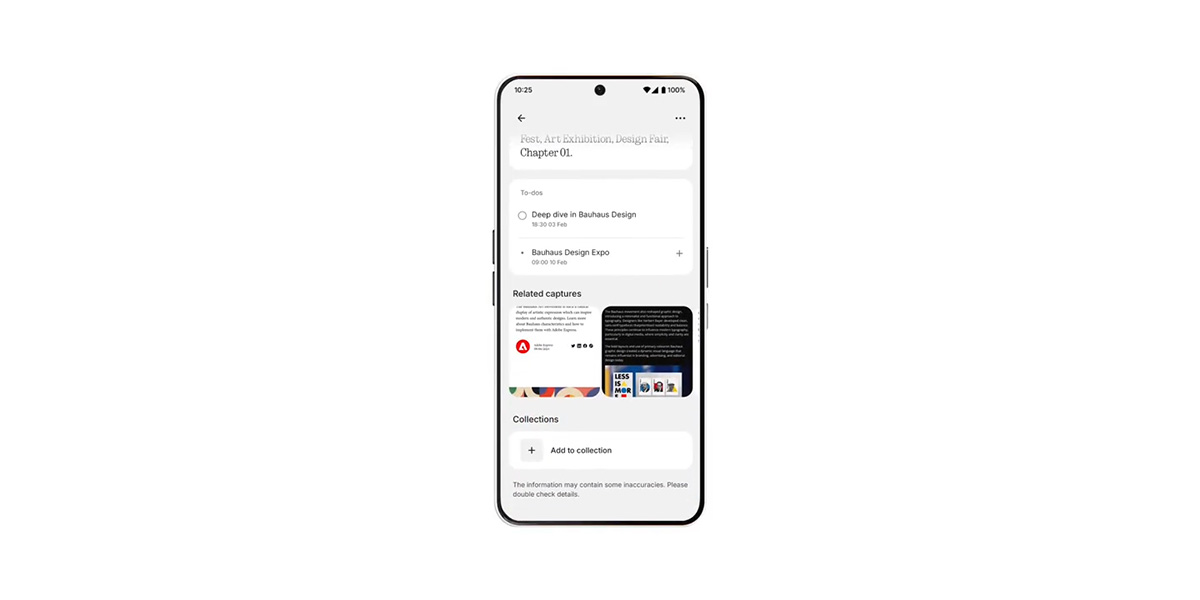
Nothing just announced another new tweak to its Essential Space feature, with the AI app now able to automatically connect related items to make everything just a little easier to find.
Announced through the Essential account on Twitter/X today, Nothing explains that “Related Captures” are available in the latest update which is rolling out now. This feature is able to determine when two Essential Space items are related to one another, and show that item in a scrollable list at the bottom of the capture you’re currently looking at.
Nothing says:
Link your different Captures together, swipe seamlessly between them, even when in full screen. Keep everything clean, connected, and easy to find. Find it on the detail page of your captures.
This update is rolling out now for Nothing Phone (3), Phone (3a) series, and the CMF Phone 2 Pro.
More on Nothing:
- Nothing will raise smartphone prices in 2026 due to RAM shortages, Carl Pei confirms
- Nothing removing lockscreen ‘ads’ from most of its phones, but it might come back eventually
- Nothing Phone (3) Review: 2025’s most polarizing phone
Follow Ben: Twitter/X, Threads, Bluesky, and Instagram


FTC: We use income earning auto affiliate links. More.


Comments