

After launching for enterprise customers last year, Google Meet is bringing Ask Gemini to more Workspace users.
Ask Gemini in Google Meet listens to the conversation (from the moment you joined) and allows you to ask questions:
- Get a quick brief on the goals and topics for the meeting you’re in
- List key takeaways, decisions, and action items mentioned in the meeting
When “takes notes for me” is enabled, you can get a summary of what you missed if joining late. Tap the Gemini spark in the top-right corner to open the side panel.
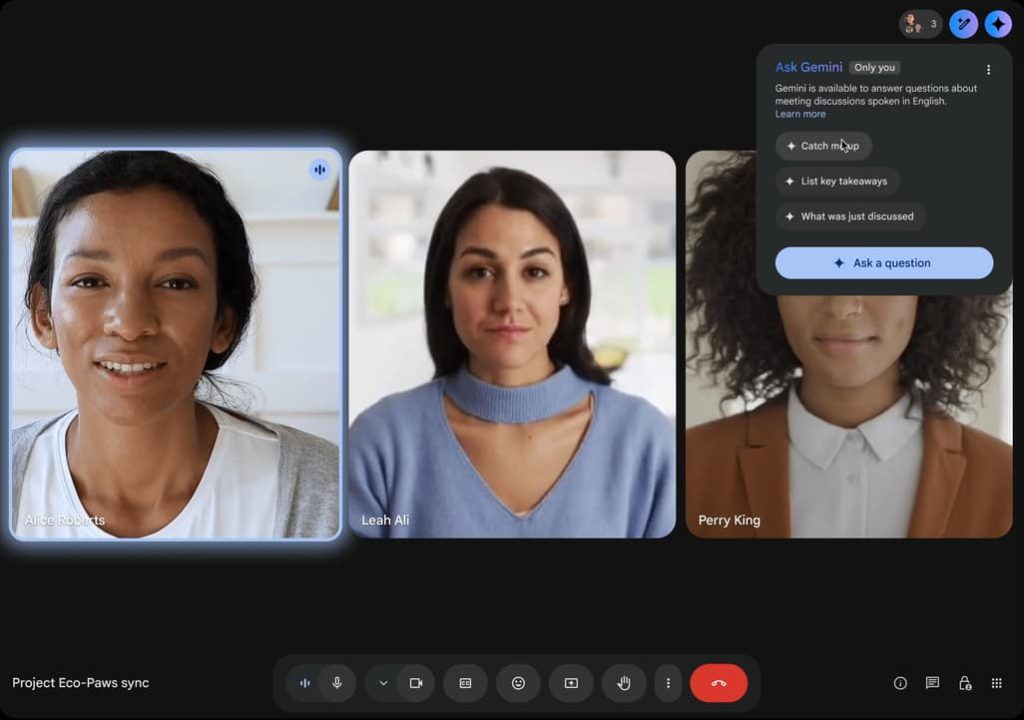
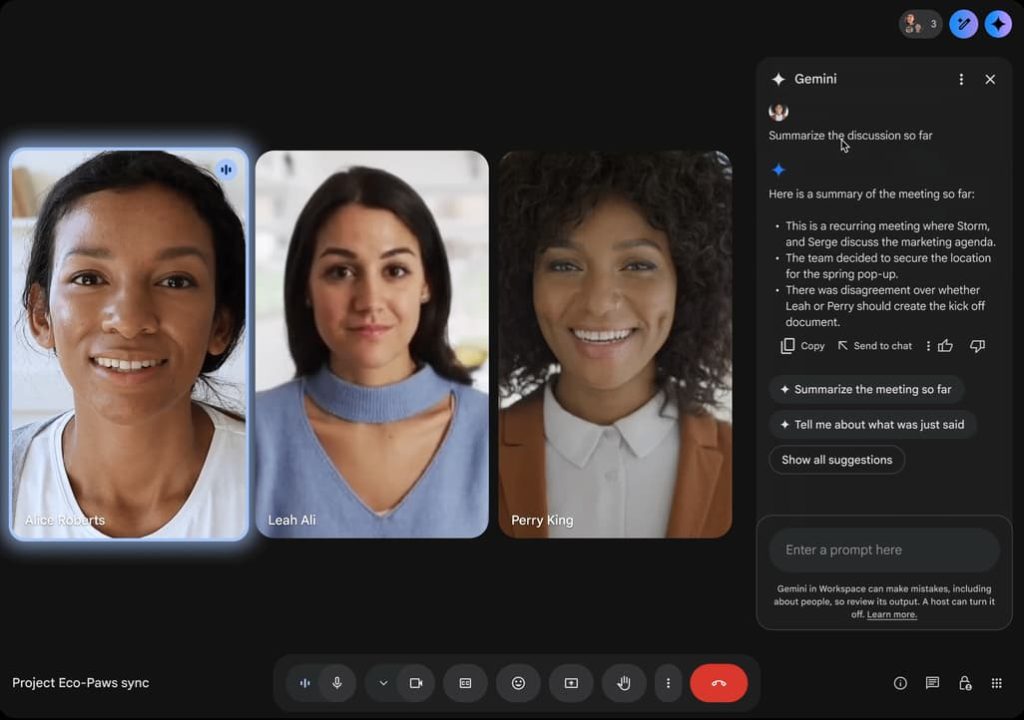
Ask Gemini answers questions by using “meeting captions, Google Workspace resources (Docs, Sheets, Slides, Gmail, etc.) that the user has permission to view, and content from Google search and public websites.”
After launching for Business Plus, Enterprise Standard, and Enterprise Plus, Ask Gemini is now coming to the Business Standard tier. This is rolling out in late January.
This February, Google is also bringing Ask Gemini to Google Meet for Android and iOS after its web debut. Tap the Gemini icon in the corner.
Finally, Ask Gemini will support French, German, Italian, Japanese, Korean, Portuguese, and Spanish next month (starting February 2).


FTC: We use income earning auto affiliate links. More.


Comments