

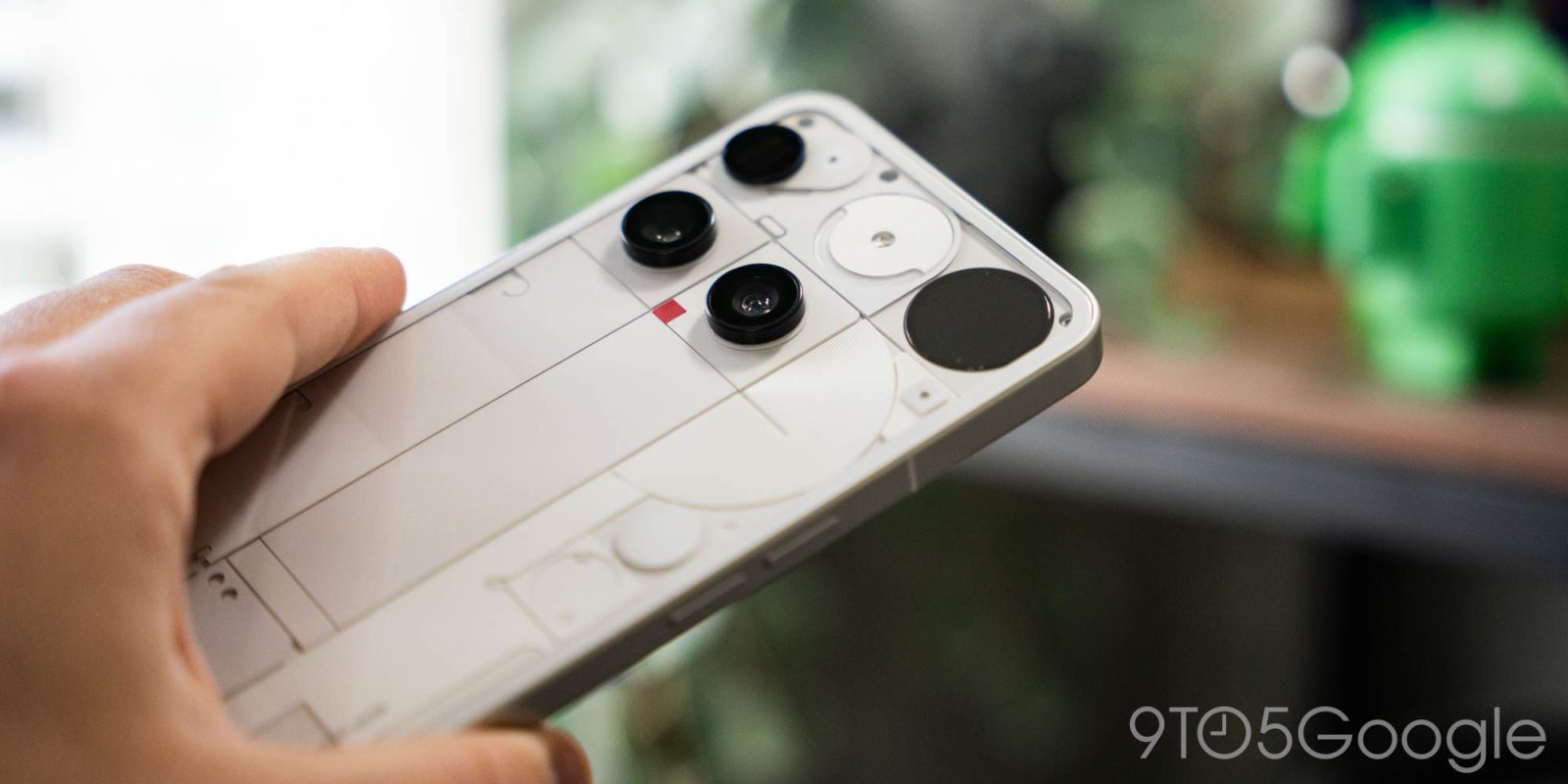
The Nothing Phone series has delivered some of my favorite phones of the past few years, with a refreshing but familiar take on Android and smartphone hardware in general, and it’s all culminated in the Nothing Phone (3). I think it’s safe to say this was one of the most polarizing phones of 2025, and it’s also one that I think will serve as a bit of a make-or-break moment for Nothing.
First things first, why is this review so late? Put frankly, Nothing launched Phone (3) at a terrible time. The announcement came just barely a week prior to Samsung’s Galaxy Z Fold 7 launch and, well, we’re just humans over here. So rather than rush out a review, we opted to offer some early impressions and shelve this one for a few months and, now that Nothing Phone (3) has picked up its Android 16 update and its latest budget brethren are on the horizon, it feels like a fitting time to circle back.
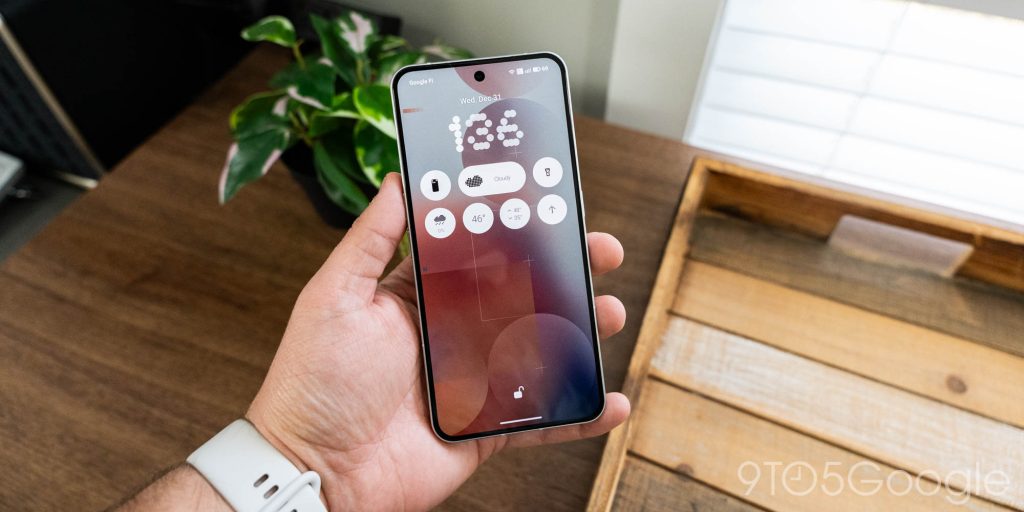
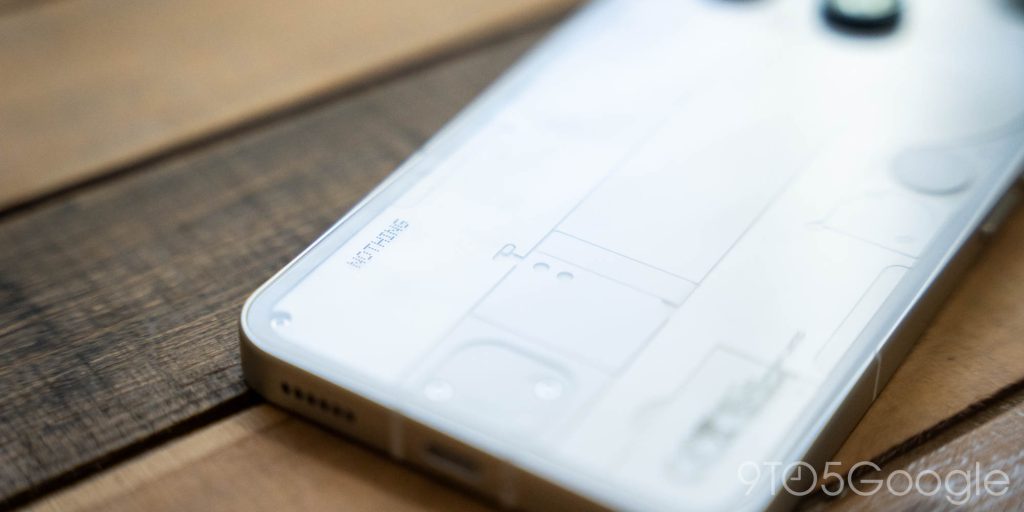
As I said in our first impressions, the hardware is the most divisive part of the Nothing Phone (3), and that’s not something that’s changed with time. I’m a fan at best, indifferent at worst to Nothing’s aesthetic, the styling here just boils down to unique. The camera placements and transparent design I think mostly work, they’re just unorthodox. The design really just boils down to what you like or don’t, but the far more important thing is the feel in the hand. On the bright side, the matte metal rails of Phone (3) are something I think the design gets right. It’s grippy and instills confidence in the grip without a case, and at least partially makes up for the glossy glass finish on the back that I’d otherwise loathe. Please Nothing, keep trying out that frosted effect.
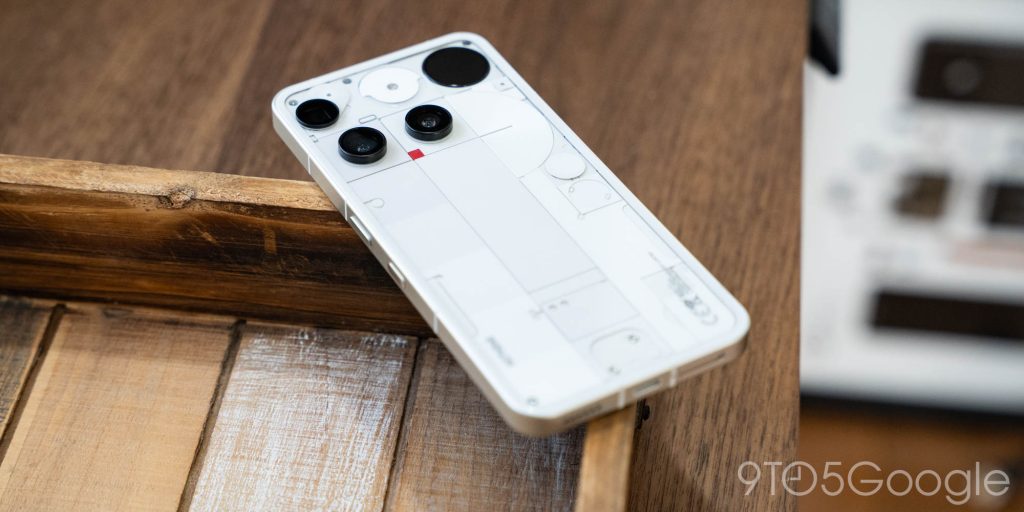
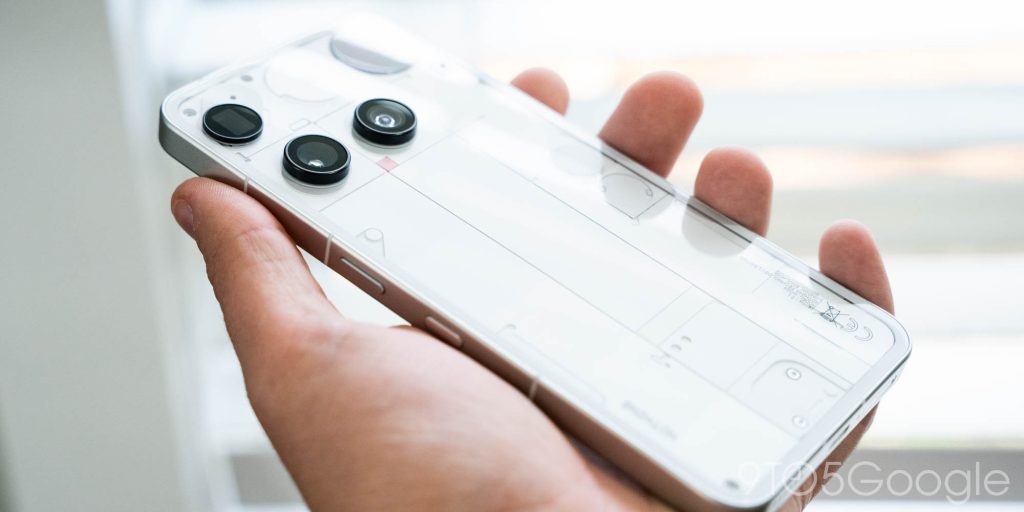
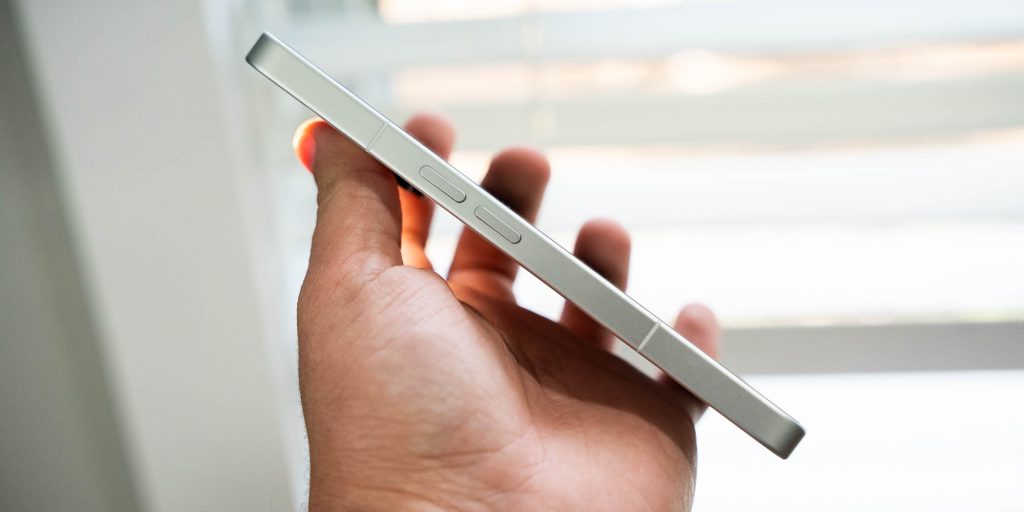
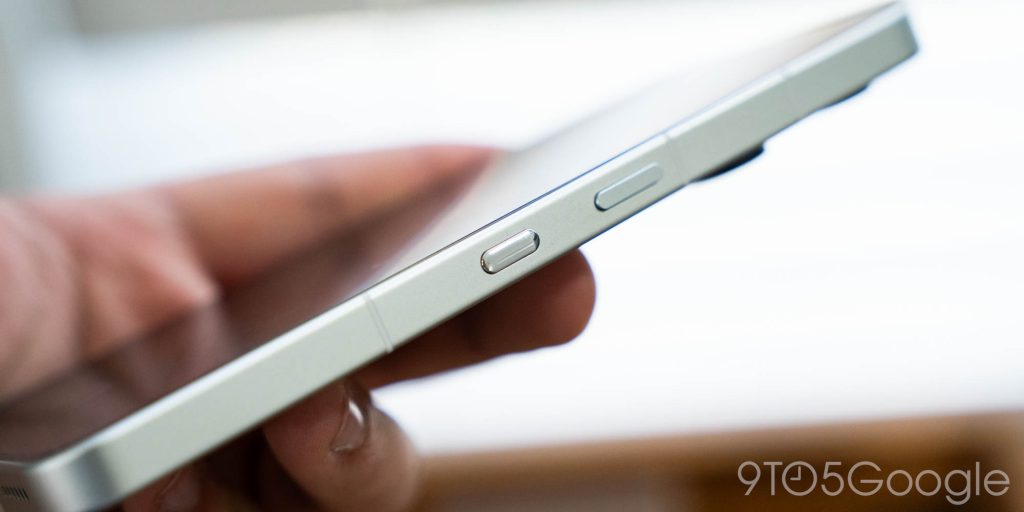
Another knock for me on the hardware side of things is the Essential Key on the side. Between the couple of weeks this was my daily driver back in July, the on and off usage in the months since, the weeks I spent on the similarly-designed Phone (3a) series, and the more recent month I’ve been using this phone daily again, the button confusion shouldn’t be a thing anymore, but man, that button is just flat out annoying. The placement of the button directly below the power key just feels out of place, especially combined with the split-sides button layout Nothing felt compelled to use after looking at an iPhone. In my book, just finish the job. Nothing should have placed this additional key above the volume keys, far from the power button. It only makes sense, especially with how the Essential Key is actually used.
So, let’s talk about “Essential Space.”
What started as Nothing’s first AI tool has sprouted into a whole vision of the future of smartphone software. We’ll have to wait and see how all that develops, but there are some elements we can experience today, starting with Essential Space.
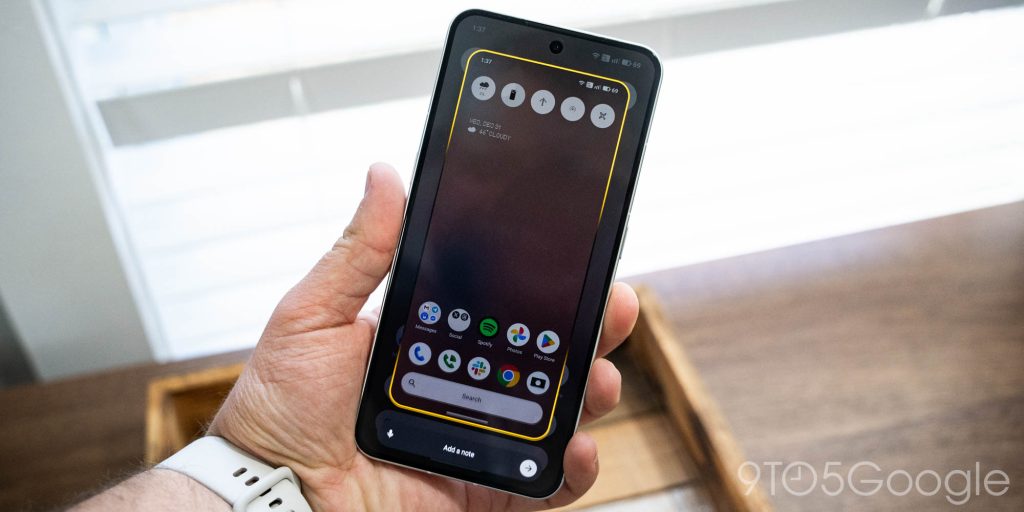
Essential Space is designed to be a catch-all for everything, letting you combine screenshots, photos, voice notes, and more into one place where AI helps you manage it all. It’s a great idea and, when you learn to use it, can work well. But I’ll be honest here, I really struggled to integrate this one into my life.
There were a few reasons for this, including that Essential Space is still pretty not-good at “automating” anything. It can take a note or reminder request and make a task, but it often forgets to tell you to do anything with that task. Most of the time, it just analyzes your screenshot or note, comes up with a cheeky little summary sentence, and sits there waiting for you to do something with it. It has the same problem as Pixel Screenshots, in that Essential Space collects a lot of data and analyzes it, but then neglects to give me enough to do with that information and eventually gets cluttered to the point where I just stop using the app entirely. And, just like with Google’s version, that took about a week of using Nothing Phone (3) to happen.
But my main problem with it is that it’s just way too restrictive.
Essential Space works in exactly one place – your phone. Want to record a quick voice note using your watch? Nope. Want to check on your AI-generated reminders from your laptop? Nope. Our smartphones may be central to our lives in 2026 – last year just flew by, huh? – but nothing should be built for a single-device lifestyle anymore. Almost everyone ends up using at least two devices in some capacity, and if Essential Space really wants to be essential to a daily workflow, it needs to adapt to that. Even if it’s as simple as just building a web app I can access from a computer, tablet, or secondary phone (work phones are a thing), that’d be a huge step in the right direction. Until that happens, Essential Space will remain more of an annoyance than it will be helpful, and I’ll just end up continuing to use Gemini, which works everywhere, for all of the same tasks.
That said, while I consider Essential Space an overall downside to Nothing’s experience, I still the company credit when it comes to its take on Android. Nothing OS 4.0, based on Android 16, might be one of the best experiences outside of the Pixel.
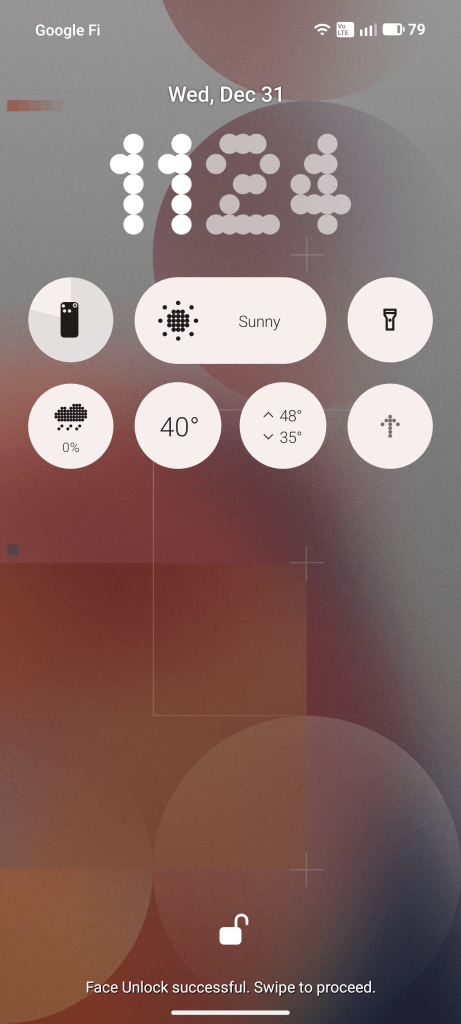
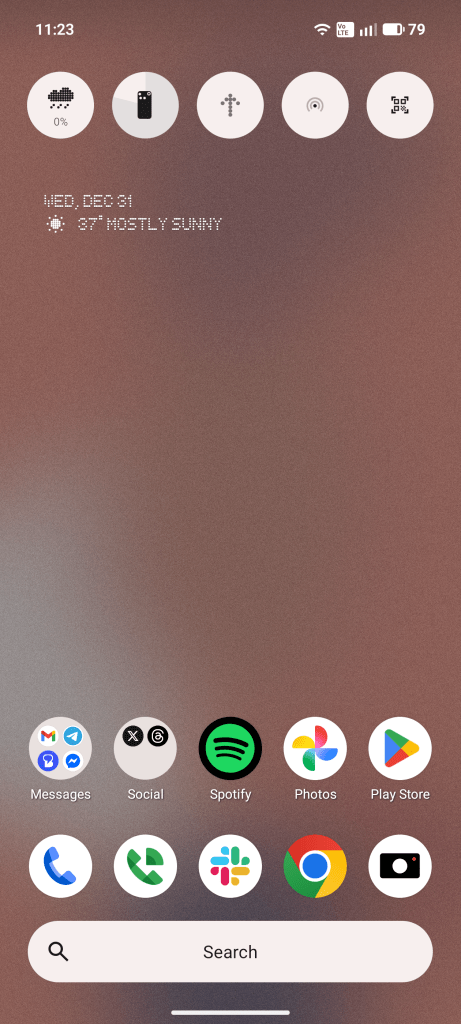
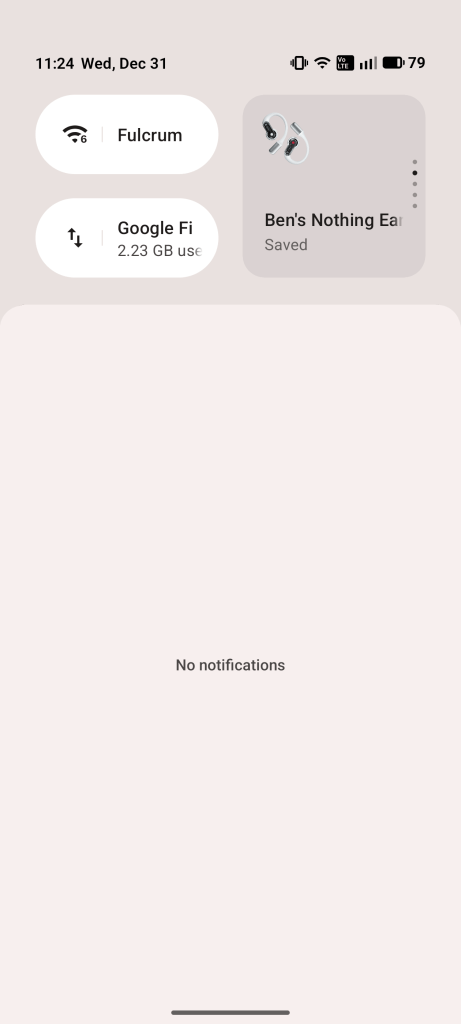
Everything runs smooth and fast and works as it’s supposed to. Little shortcuts like accessing notification history work, and Nothing’s approach to biometrics creates a mostly seamless experience, just like how Pixel handles it. The Quick Settings are clean, easy to edit, and have some thoughtful additions like the ability to see your most recent Bluetooth devices within the Bluetooth toggle by swiping. Nothing’s largely black and white aesthetic takes away from Material 3 Expressive, but you can also feel Google’s design language hidden away within Nothing’s. Where every other Android brand is just copying Apple and ignoring the underlying platform they’re using – I’m looking at you Samsung – Nothing is building its own look and feel in a way that doesn’t try to throw out the ecosystem it has to live in.
As far as performance goes, it’s perfectly fine. Nothing made a mistake calling this a “flagship” before revealing it was powered by a second-tier Snapdragon chip (the Snapdragon 8s Gen 4), but it works fine in practice. In day-to-day use, it feels largely like a Pixel. More than fast enough in 99.9% of things, but with an occasional hiccup here or there. That’s honestly no different from using a Samsung phone. Where Qualcomm’s flagship chip has more raw horsepower in other phones, the software will end up stopping you from being able to enjoy that full power more often than not. That’s just not the case here.
Something else I’ll give some kudos around is the battery life. Nothing Phone (3) packs a 5,150 mAh battery with 65W wired fast charging and, oh man, it might be one of the best parts of this phone. This is a phone that gets rid of battery anxiety. Within reason, I haven’t killed it in a day. You can surely do that by playing games for hours or spending the whole day with your screen on, but if you use it like a normal person, you’re probably not going to go to bed without any power left in the tank. Most days, I’m ending the day with around 30-45% left with 4-6 hours of screen time. Again, it all varies by the day and what I’m doing, but it’s really solid battery life.
My one request for next time? Qi2. The Pixel 10 series has spoiled me in this regard, and now that Nothing has (hopefully) found out that it doesn’t cost $10 million to add Qi2 to an Android phone, I really want magnets in the next generation. Nothing is also just quirky enough that I think we’d get some really fun and clever accessories taking advantage of Qi2.
The display on Nothing Phone (3) is perfectly acceptable. The FHD+ panel is not stunning, nor perfect, but it’s good. I’ve never had complaints using it in broad daylight, nor do I have any trouble getting it low enough to use in an otherwise dark room. At this point, it’s hard to find a display that’s “bad,” but it’s also not hard to find the ones that stand above the pack. The displays found in the latest Galaxy flagships, iPhones, and Pixels are definitely better than what you’re getting in Phone (3), but I also never felt like the display was actively taking away from my experience.
The speakers, on the other hand, are another story. They’re middling at best. The speaker is surprisingly loud, but it doesn’t sound very good at the highest volumes, and I find that it’s really hard to keep it quiet – in other words, the lowest setting isn’t low enough. Some tuning would definitely help in this department.
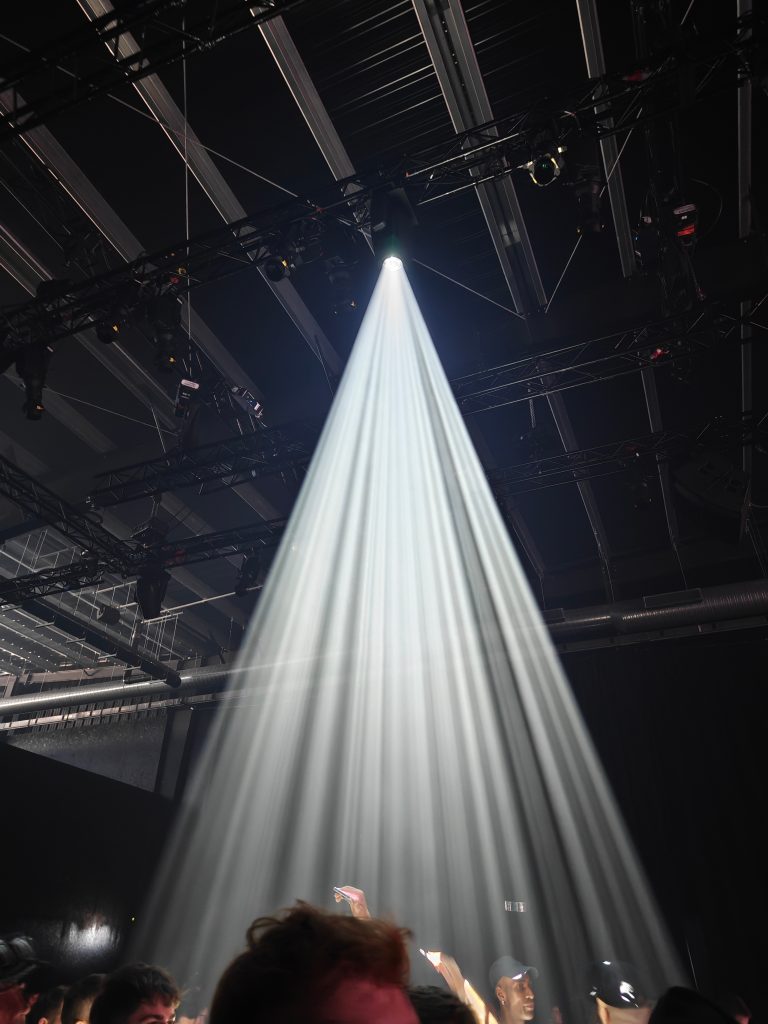
The cameras on Nothing Phone (3), like many other aspects, are also perfectly fine. The quartet of 50MP sensors all get the job done, though I’m never really finding myself blown away. Processing is fast, colors are usually rich, and video is perfectly fine too. My main note of criticism is that results often feel a bit soft, with details that feel as though they should be crisper.
I could go on, but if a picture is worth a thousand words… see below.







For another point of kudos, I really like Nothing’s Camera app. It’s well designed and easy to use. Simplicity reigns in all things photography for me, and Nothing nailed it.
Finally, let’s talk about Glyph.
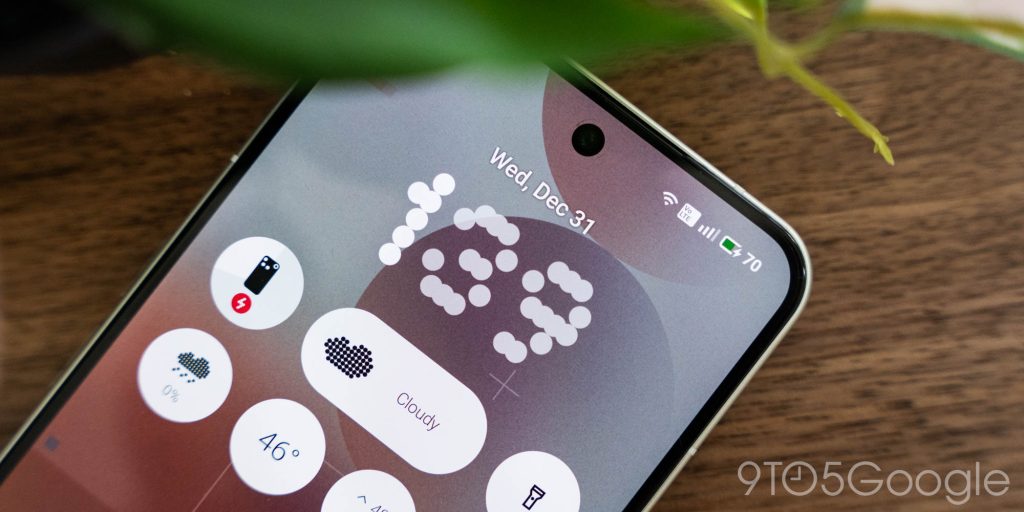
Gone are the iconic lights found on past Nothing Phones, with the “Dot Matrix” display in the top right corner of Phone (3) taking their place. Nothing really figured out what to do with Glyph in the past, with it being a definite gimmick more than anything else. This time around, having a display opens up a lot more possibilities, but it still very much feels like a gimmick.
The “Dot Matrix” is used to show “Glyph Toys,” or miniature apps that you’ll interact with through a pressure-sensitive “button” on the back of the phone. These can include stopwatches, “Spin the Bottle,” and more. The idea is good, but the implementation is what ruins it for me. The “button” is not intuitive, with a single press turning on the display and moving between apps, and then a long-press actually interacting with the app you’re on. This feels backwards, and often just leads to some frustration when I’m trying to use the app. For instance, in a counter app that I thought might actually be a good use for this (especially with the haptic feedback), the long-press kills the flow of using it. The same goes for Nothing’s built-in stopwatch.
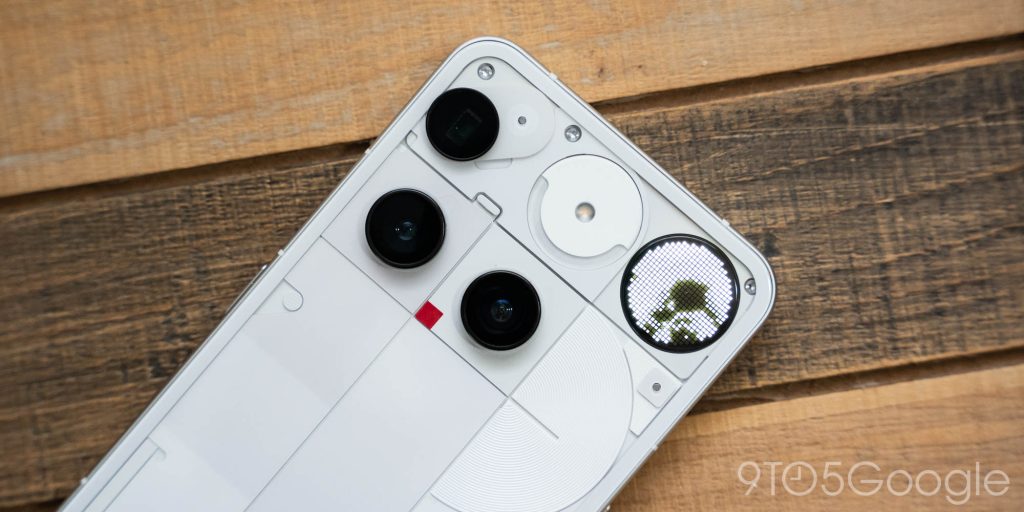
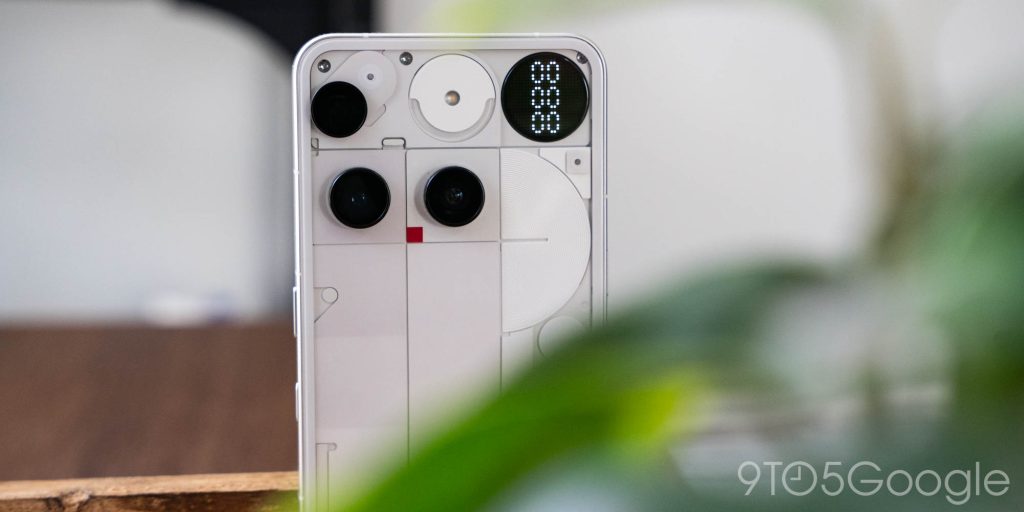
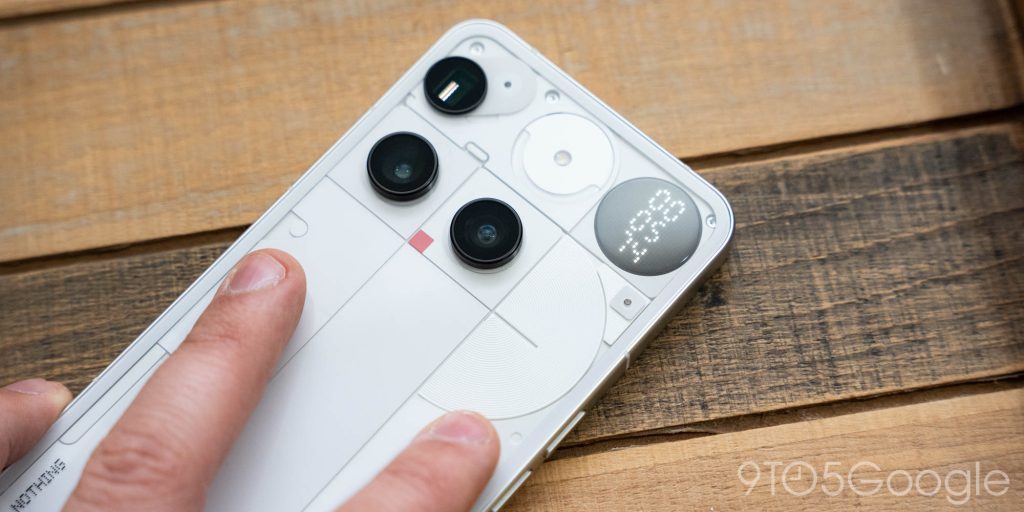
The only “Toy” I ended up actually using was the “Glyph Mirror,” which is a dot matrix view from the rear camera which you can use to take a selfie. Again, good idea, but it’s so low-resolution that it’s effectively useless. You can hardly tell what’s in the frame, and again, the long-press ruins it because it means changing my grip and, nine times out of ten, giving me a blurry photo as a result.
After so many iterations without finding an idea that actually works, I’m really wondering if it’s time to throw in the towel on Glyph. Lights are fun, keep those around, but it’s definitely time to just let a gimmick be a gimmick.
Final Thoughts
To say 2025 was a big year for Nothing is an understatement. Between a “flagship” revival, a heavy AI push, and new audio form factors, this past year has been a big deal.
And, like every other brand that started with an enthusiast focus, it’s also the year we saw the inevitable “betrayal.”
The biggest example of that was the budget-focused Nothing Phone (3a) Lite, which debuted super sketchy lockscreen “ads,” but it was surrounded by all of these overhyped announcements like calling Phone (3) a “true flagship” ahead of its release.
I still think that, at its core, Nothing is pretty good at making smartphones. Nothing Phone (3) is, as the sum of its parts, a good phone, just like the Phone (3a) series proved earlier this year. And the company’s vision for AI, while a little ambitious, definitely has some potential. But Nothing needs to take a step back and make a course correction. If Phone (3) proves anything, it’s that being “different” just for the sake of it doesn’t sell phones, and neither does overhyping a product prior to its release.
At the end of the day, I think that was the biggest mistake with Phone (3). Overhyping the actual product combined with the final price of $799 just led to an immediate negative view of the device. After using it for the past few months, I actually think it’s a pretty good option for its price. Compared to the base Pixel 10 at the same price, you’re getting better battery life, a bigger screen (assuming you want it), and a roughly equivalent package in terms of cameras. It all comes down to personal preferences around size, software, and features.
As mentioned at the outset, though, this really feels like the make-or-break moment for Nothing. Phone (3) was pretty clearly not a hit, and time hasn’t given it a second wind. So while 2025 was a big year for Nothing, 2026 is going to be even more important. What do you think will happen?
More on Nothing:
- Review: Nothing’s CMF Headphone Pro makes you rethink bass for just $80
- All that talk for Nothing: The promises that haunt the new Nothing Phone
- Review: Nothing Ear (3) are still great earbuds, but a huge missed opportunity
Follow Ben: Twitter/X, Threads, Bluesky, and Instagram


FTC: We use income earning auto affiliate links. More.


Comments