

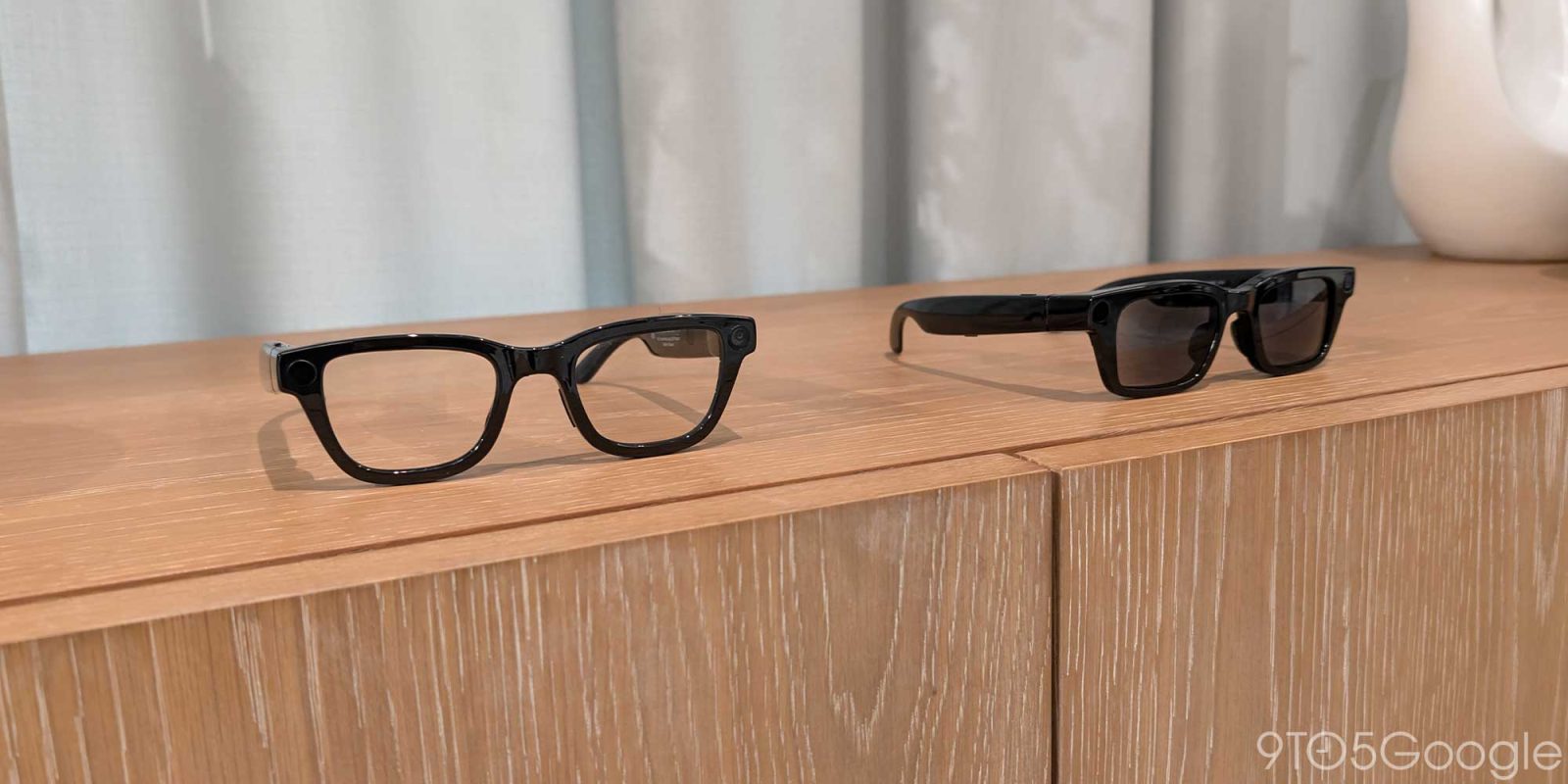
After demoing Android XR glasses for the first time in December 2024, my takeaway was that rumors about how Google was behind in augmented reality were greatly exaggerated, if not outright wrong. A year later, Google is on the verge of releasing “AI glasses” with a display in 2026 and they fully realize the vision of Google Glass.
We will see “AI glasses” — as Google is branding this form factor — next year with and without displays. The latter with just cameras, microphones, and speakers is straightforward enough.
However, Google is integrating Android XR with Wear OS in cool ways that finally make Android’s cross-platform “Better Together” work interesting. When you take a picture on your display-less glasses, a notification lets you preview the capture in full on your watch. Gestures will also be available to control Android XR.
I thought screen-less glasses would be the extent of what Google and its partners (Samsung with Warby Parker and Gentle Monster) will do next year.
What’s genuinely surprising is that Google says Android XR devices with a single display (at the right), or “monocular” glasses, are launching in 2026, and the screen is very good.
The Google demo I had last week using monocular prototypes started with asking Gemini to play a song. A now playing screen appeared as a compact rectangle that maybe had two or three colors and tiny album artwork. Expanding it with a tap of the side touchpad revealed the wavy Material see bar that’s on Android 16 today in a nice example of consistency.
Next, I answered a video call — much like how One day… ends — and was shocked to see a full rectangular feed of their face. It was truly a floating display in my line of sight made possible by the microLED tech that Google has been actively developing since its acquisition of Raxium in 2022. The resolution at this distance looks sharp, while the colors are vibrant and phone-like.
To top that off, Google had me share my point-of-view camera on the call, and I saw two side-by-side video feeds: the caller’s and my own. That screen literally expanding vertically blew my mind.
I was then asked to take a picture and add whatever I wanted to the scene with Nano Banana Pro. Besides the side touchpad, the top of the stem is home to a camera button, while the underside further back has a button to turn on/off the display, specifically Gemini’s response transcript. That generated image appeared right there in my line of sight after a few seconds.
The next unrealized Google advantage is the Android app ecosystem. On day one, mobile applications from your phone are projected to Android XR glasses.
This approach gives glasses rich media controls and notifications without developers having to do any work, though optimization is possible. The latest Android XR SDK (Developer Preview 3) released today lets them start doing that with an emulator also available. Google is also detailing their Glimmer design language/guidance that incorporates Material Design.
In essence, the most complex UI you will have on Android XR is something akin to a homescreen widget, and that’s the right call.
The killer UX interaction and capability that Google has involves AR navigation, or Google Maps Live View from your phone but on glasses.
When you’re looking straight ahead, you just see a pill of directions, but tilting your head down reveals a map that’s basically the corner guide in a video game. The transition animation as you move your head back and forth is absolutely delightful and fluid thanks to the display. Third-party apps, like Uber, can take advantage of this, and I got a demo of using their Android XR experience to navigate to a pickup spot in an airport with step-by-step directions and images.
The screen-less version will come first, but the monocular display version is coming in 2026 and this is such a surprise. In fact, Google is giving these monocular dev kits to developers today and will expand access over the coming months. Until then, Android Studio offers an emulator for optical passthrough experience.
Google also demoed binocular glasses to me where each lens has a waveguide display, and this allows you to watch a YouTube video in native 3D with depth. Meanwhile, the same Google Maps experience gives you a richer map that you can zoom in and out on. These are coming later, and will start to unlock productivity use cases that one day could replace the phone at some tasks.
When monocular Android XR glasses launch next year, I think people will be incredibly surprised that Google has frames that fit what they’ve been imagining augmented reality to be. It’s unfortunate how hard this form factor is to visually capture. Google’s videos accurately capture what you can do, but not the novelty of it happening in your field of view.
Google’s modern approach to AR glasses is clearly framed — sorry — by Google Glass where the company tried to develop in public.
That did not work, but I don’t think it should blight how Google fundamentally had the right vision as captured by the concept video that showed how augmented reality could fit in day-to-day.
Since Glass, Google kept all their very real progress on hardware and software internal until they had something helpful. Compared to sunglasses, the company very much wants to offer something that you’ll want to wear throughout the day.
It wasn’t a very exciting decade for fans of AR and Google, but I can’t fault them now that I’ve seen it work. I thought we needed a few more hardware display breakthroughs before we got real AR glasses. Those advances are here — in full — and coming next year as something you can buy.


FTC: We use income earning auto affiliate links. More.


Comments