

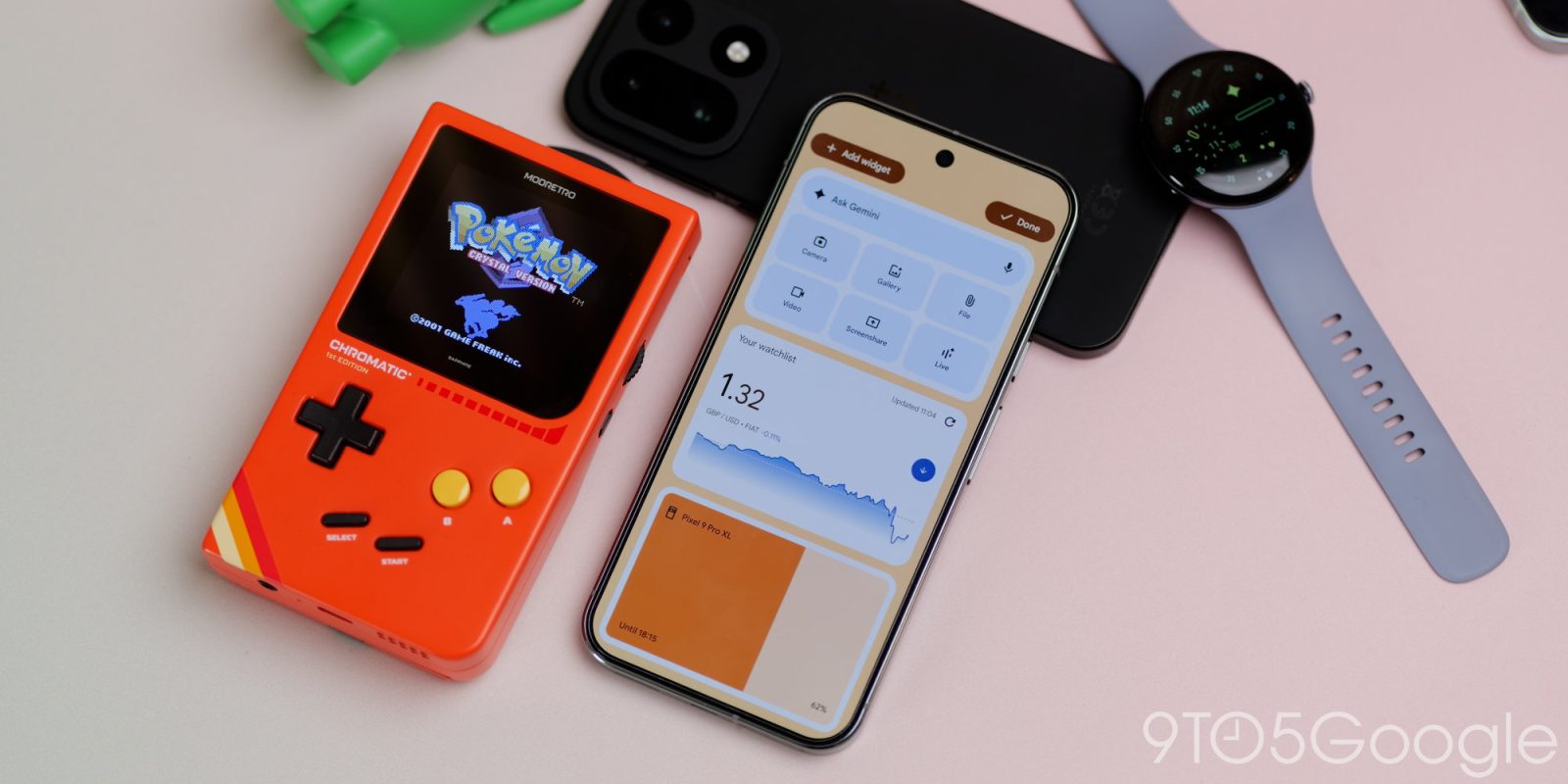
Big Android updates used to feel few and far between, but in the last few months, we’ve had some big changes, including a ton of new features in Android 16 QPR2. Here’s everything you need to know about the latest update for eligible Google Pixel phones.
Table of contents
- Pixel Drop on top of a Pixel Drop
- What phones can get Android 16 QPR2?
- Expanded dark theme
- 90:10 split-screen
- Enhanced HDR brightness
- Remove option for homescreen icons
- Quick app shortcuts
- Redesigned widgets panel
- Hub mode on smartphones
- Tap to Quick Share
- Enhanced theming options
- Health Connect step tracking
- Expanded identity check
- Time zone change notifications
For more video content, subscribe to NewGeekGuide on YouTube.
Pixel Drop on top of a Pixel Drop
In November, we had a mini Pixel Drop that had a lot of cool stuff thrown in, like device themes, more Gemini image remixes, AI-powered notification summaries, plus a boatload of extras. This broke the regular release cadence of once every three months to get some things out of the door early.
It was based on QPR1, which was the basis for the massive Material 3 Expressive redesign. This latest Pixel Drop adds in all of the changes that we’ve been testing out on the QPR Beta cycle. So, to remove any confusion, this is the “real” Pixel Drop we were expecting. The previous update was just a nice bonus that added in a ton of neat little extras, mostly for Pixel 10 owners. Hopefully, some of those functions will get backported, but it’s not clear.
What phones can get Android 16 QPR2?
The best news is that this update is rolling out for a solid number of Pixel phones, from the Pixel 6 right through to the Pixel 10. Here is every single device that can get the latest OTA:
- Pixel 6
- Pixel 6 Pro
- Pixel 6a
- Pixel 7
- Pixel 7 Pro
- Pixel Fold
- Pixel Tablet
- Pixel 7a
- Pixel 8
- Pixel 8 Pro
- Pixel 8a
- Pixel 9
- Pixel 9 Pro
- Pixel 9 Pro XL
- Pixel 9 Pro Fold
- Pixel 9a
- Pixel 10
- Pixel 10 Pro
- Pixel 10 Pro XL
- Pixel 10 Pro Fold
Expanded dark theme
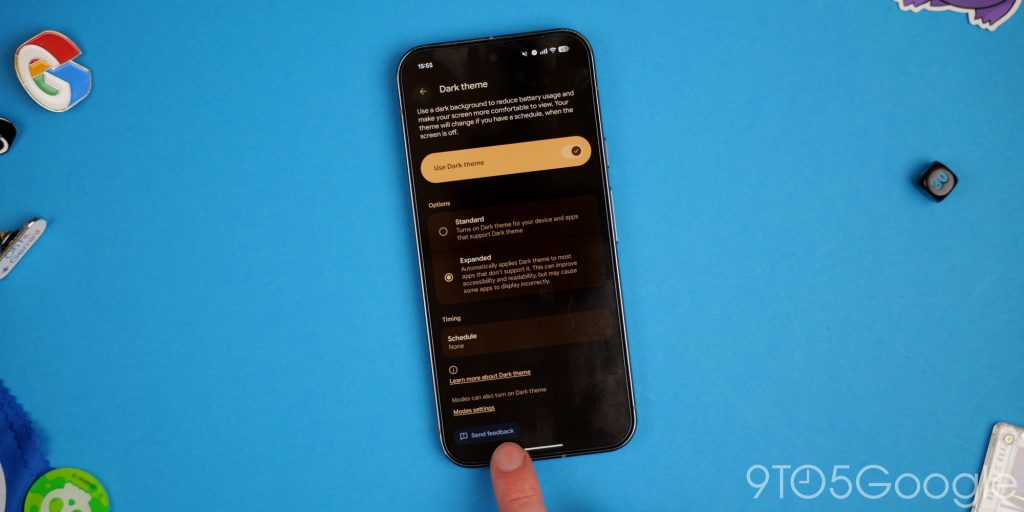
We’ve had a dedicated dark theme on Pixels since Android 10, but Android 16 QPR2 is the first to take the feature forward in any meaningful way. There is a new “Expanded” option within the display settings that attempts to force certain apps that still don’t support the mode to work, while also making adjustments to ensure these apps function properly.
Although we can’t list out a full set of apps that this works with, some of the most prominent come from the UK’s BBC. Apps like BBC Sport won’t be quite as eye-searing all the time, and for other apps that this works with, you’ll have a better experience.
90:10 split-screen
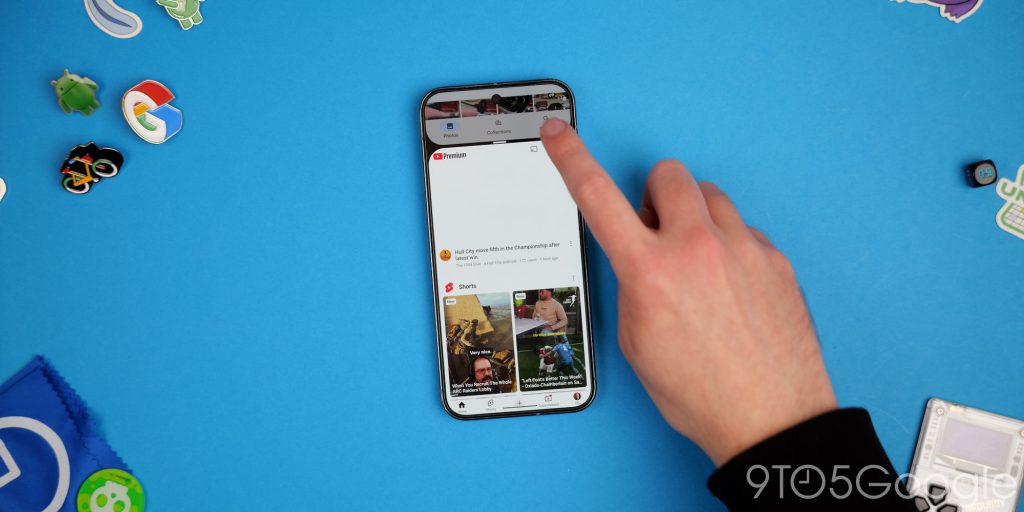
Split-screen gets a new option that lets you adjust the layout for a 90:10 split, meaning you can have almost the full-screen app experience with one application, while the other is almost fully minimized. For multitasking, this is great for applications that might require the keyboard or maybe require more visible on-screen elements. You can switch back quickly and switch between if needed, without hindering the experience all that drastically.
Enhanced HDR brightness
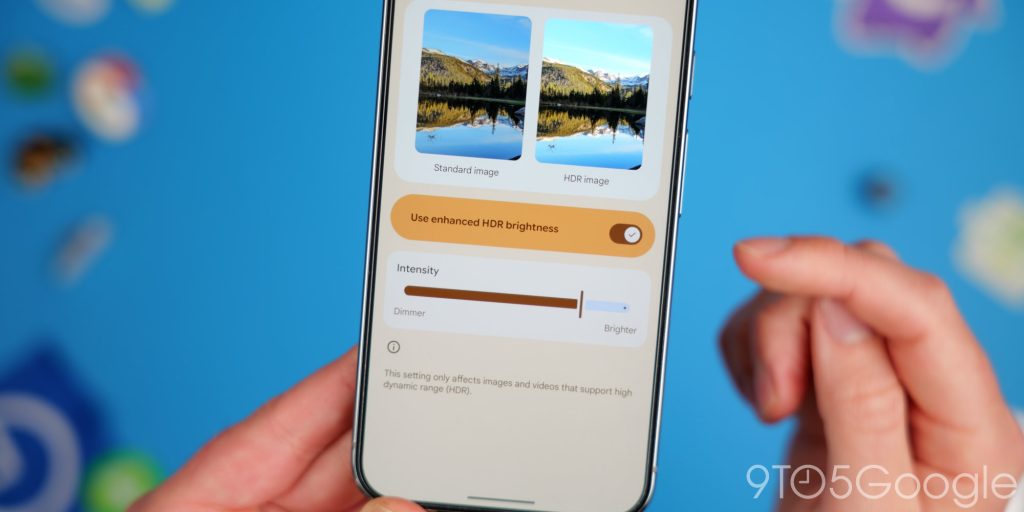
You don’t need to worry about HDR content being too bright or intense with new controls to adjust the effect in Android 16 QPR2. The “Enhanced HDR brightness” setting allows you to adjust the intensity with a comparison against a standard non-HDR image so that you can have the best experience when using a supported Pixel. For social media, this might help reduce how drastically different some content can look from regular SDR content.
Remove option for homescreen icons
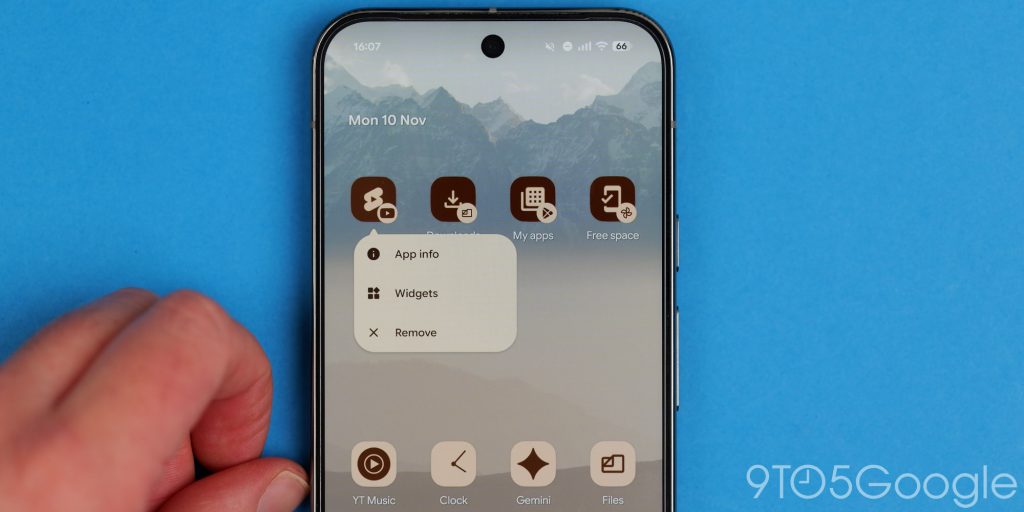
This sounds like a minor change, but you don’t need to do the annoying drag to the top of your screen when ditching apps, thanks to a new “Remove” toggle that appears when long-pressing a homescreen icon in QPR2. While it doesn’t quite match the ability to select multiple app icons at once, it is much faster and more convenient than previous Android builds.
Quick app shortcuts
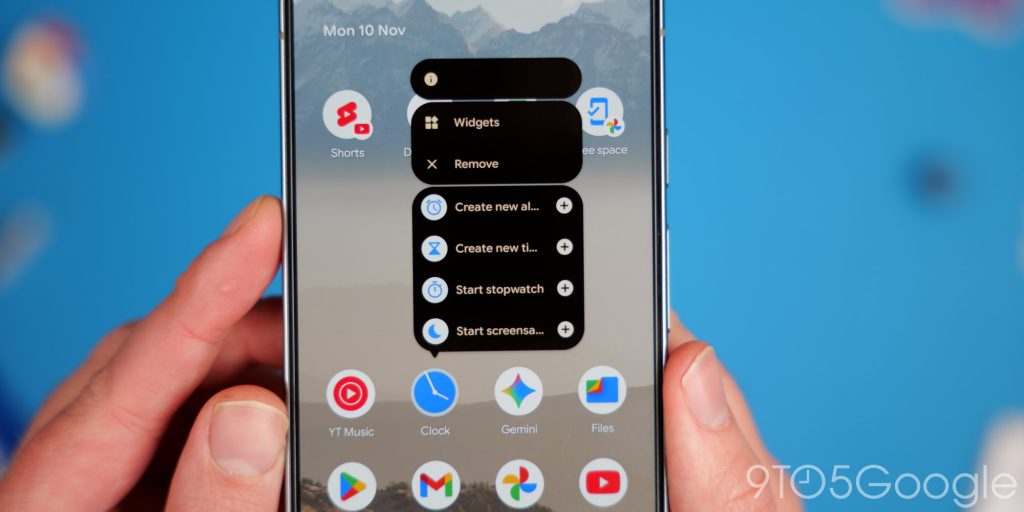
Expanding on the remove option, you also gain quick app shortcuts to add to your homescreen. This speeds up the process of getting into certain areas of an application, as you can add icons to your device if you use certain things regularly. In the past, you could drag these out from this pop-up list or use a third-party app to achieve the same. Alternatively, you can still long-press the icon to access the controls.
Redesigned widgets panel
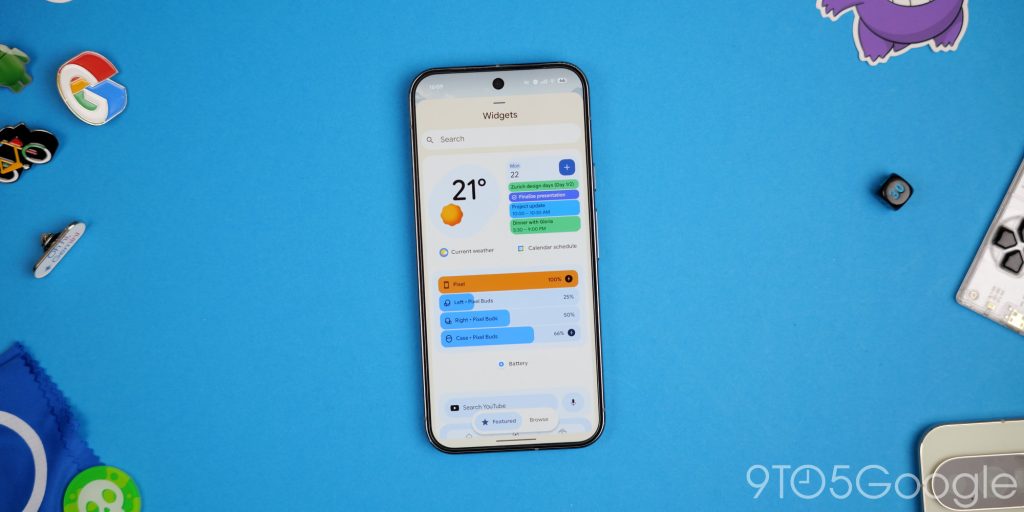
The widget panel has been altered in Android 16 QPR2 as it now features two prominent tabbed sections. The old layout is still here, but the default “Featured” view replaces the old top panel that shows some suggestions based on your app usage. The “Browse” tab is the same layout as but is more compact and retains the search function. Some might find this slower, but it is more visually dense than before.
Hub mode on smartphones
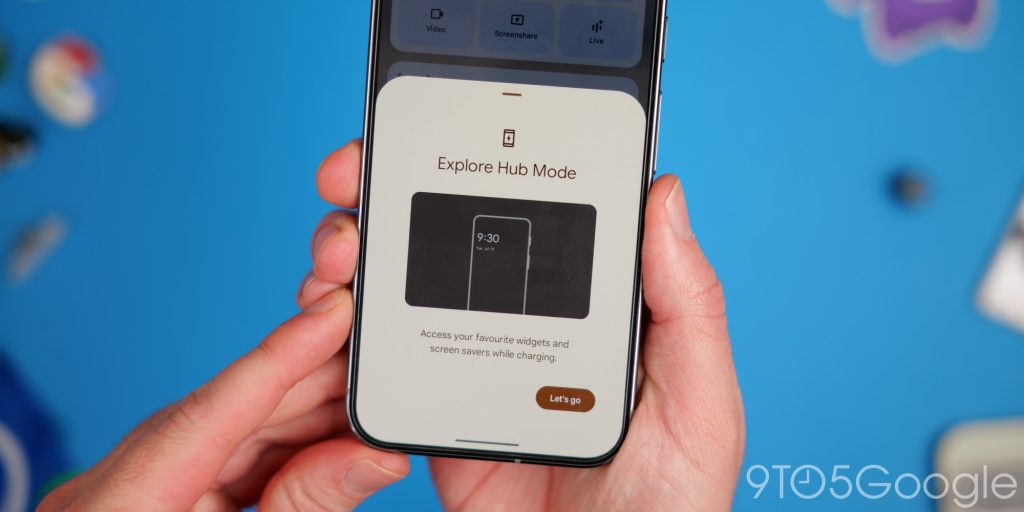
Widgets are back on the lockscreen on Pixel phones, but maybe not quite how you were expecting. The “Hub” mode brings a feature from the Pixel Tablet to your phone with a right swipe into this area, where you can nest almost all of your favorite widgets on your homescreen.
The layout follows and fits the portrait orientation, which means that some widgets will not work as you expect. You can have multiple pages of widgets, and usually a maximum of three per page is the layout. A number of default options will be available when you set this up by going to Settings > Lock screen > Widgets on lock screen. This function is technically in beta, so it may develop over time, too. Some third-party widgets that work on your homescreen might be a little bit buggy here. That said, it seems like a great solution so far.
Tap to Quick Share
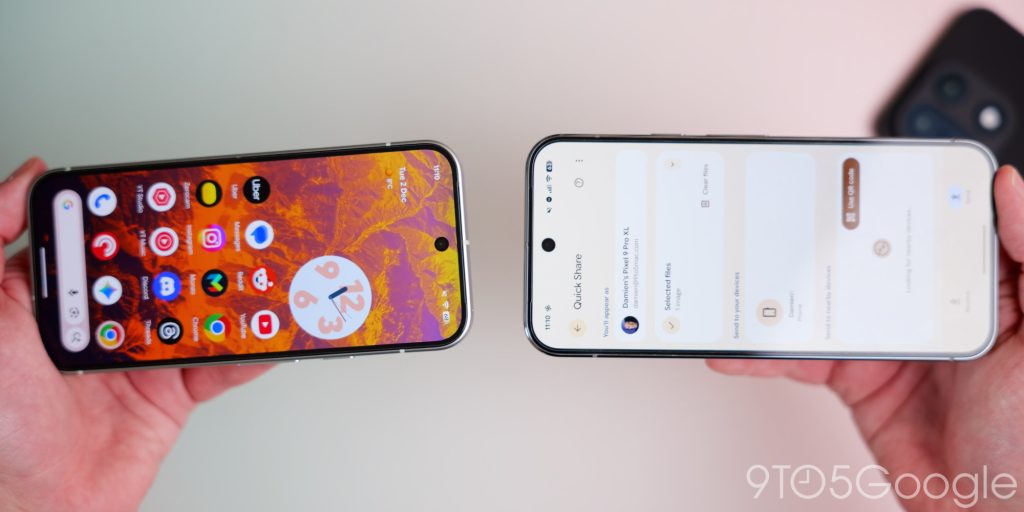
If you recall Android Beam and are familiar with the tap-to-share feature on iOS, then Quick Share now has its own version of this feature in Android 16 QPR2. You can tap the top of your phone when Quick Share is open to connect with another phone with the settings active instantly. It won’t work without this in our testing and mimics something that was added when using Nearby Share, which was first introduced in 2021. That old method still works, but this new sending option is going to be great for iOS converts and works a little more consistently.
Enhanced theming options
We’ve waited a long time for Google to begin reintroducing features we had in the pre-Android 12 era, and it begins with Android 16 QPR2 with a new set of building blocks.
Custom icon shapes
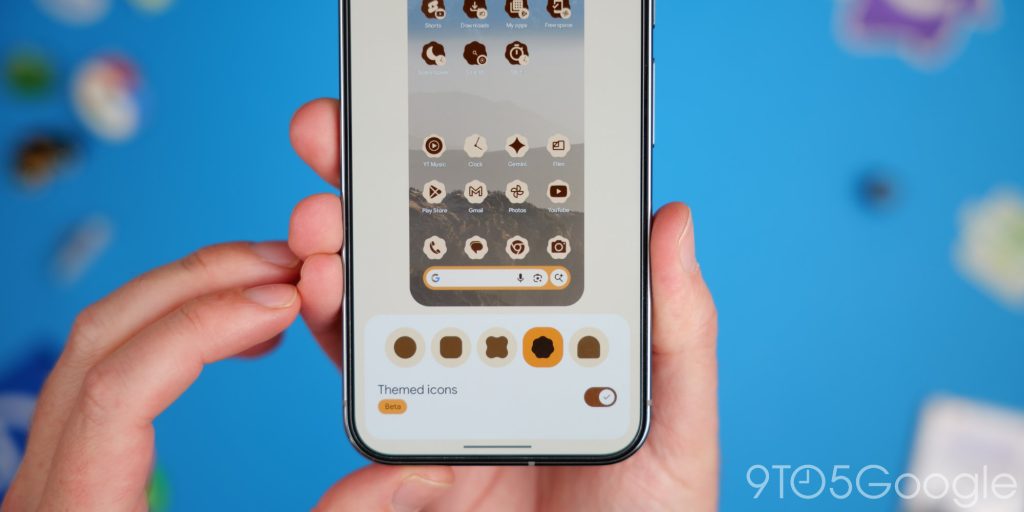
Yes, we are regaining the long-lost custom icon feature in Android 16 QPR2 with the ability to choose five shapes for those homescreen glyphs. The icons do not have names, but you can keep it regulation with the circular style, add squircles, an “X” shape, rounded rectangle with indented sides, scallop, and a rounded hectangle. We’re definitely hoping these can be expanded on, but for now it’s a start.
Forced icon theming
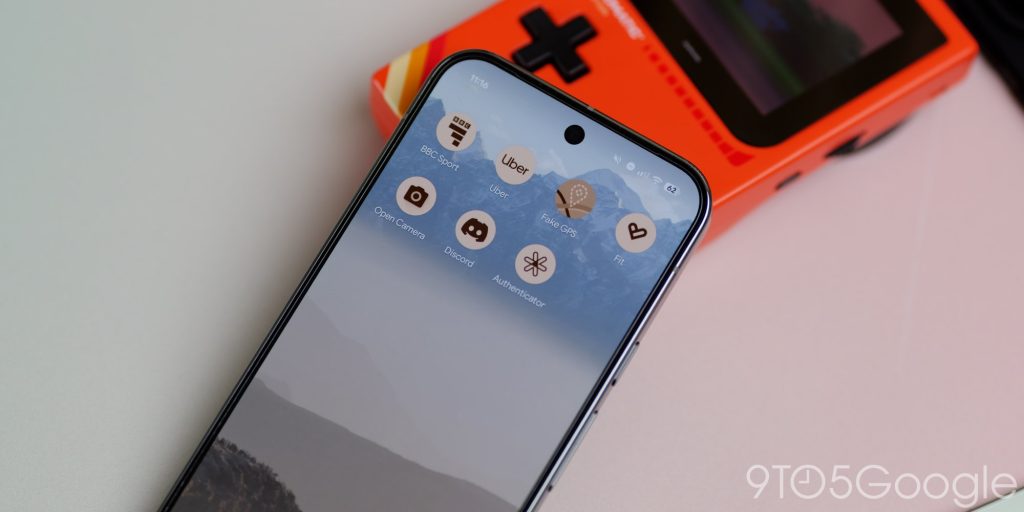
Another bonus added is the forced icon theming that has been touted for some time in Android. This has developed and improved over time so that lots of applications that ordinarily do not support the feature should get the right colour and tone. One of the most obvious is the Uber application, which should fully fit with your device theme for the first time, but there are more applications that this works with now.
Health Connect step tracking
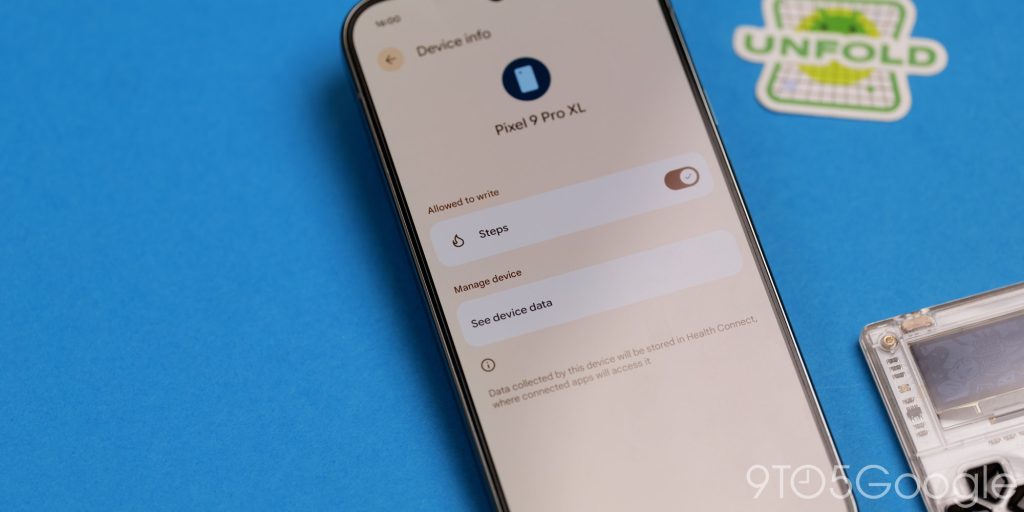
Health Connect is now able to use your phone to count daily steps and finally brings a basic feature many other Android phones have had for a number of years. You need to go into the Health Connect settings and select “Devices,” this will allow you to toggle on step count from your phone.
Expanded identity check
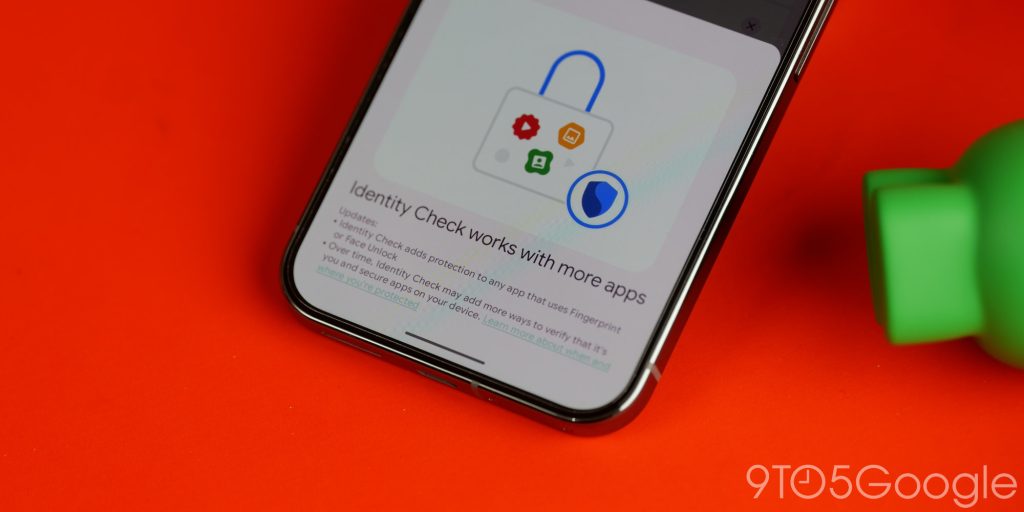
Pixels have a feature that requires biometric authentication using face or fingerprint recognition to help keep your phone secure. You need to enable it in Settings, but in QPR2, it has expanded over the controls introduced with Android 15. It’ll work in more applications and force biometrics to be used to access certain areas where a PIN might be required. That just makes it harder for people to crack the protections if your phone is stolen or taken by someone untrustworthy.
Time zone change notifications
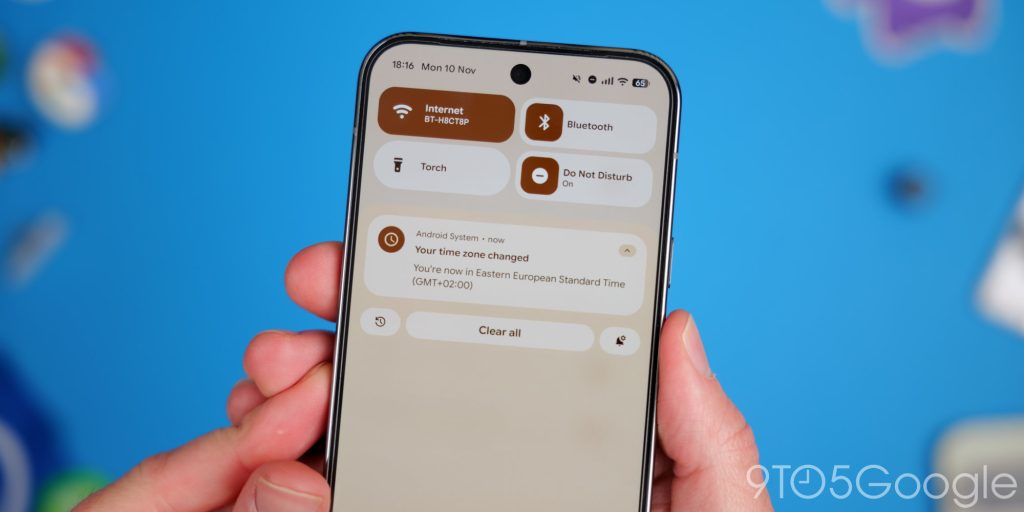
If you travel a ton, one cool but admittedly small feature added in Android 16 QPR2 is notifications for when you hit or move to a new timezone. This can be super helpful if you live close to a timezone border or when travelling, as you know instantly that your on-device clock is up to date. For what it’s worth, this does work with GPS location spoofing, so if you are using this in conjunction with specific applications that mimic your location, you’ll get a notification when this is enabled.


FTC: We use income earning auto affiliate links. More.



Comments