

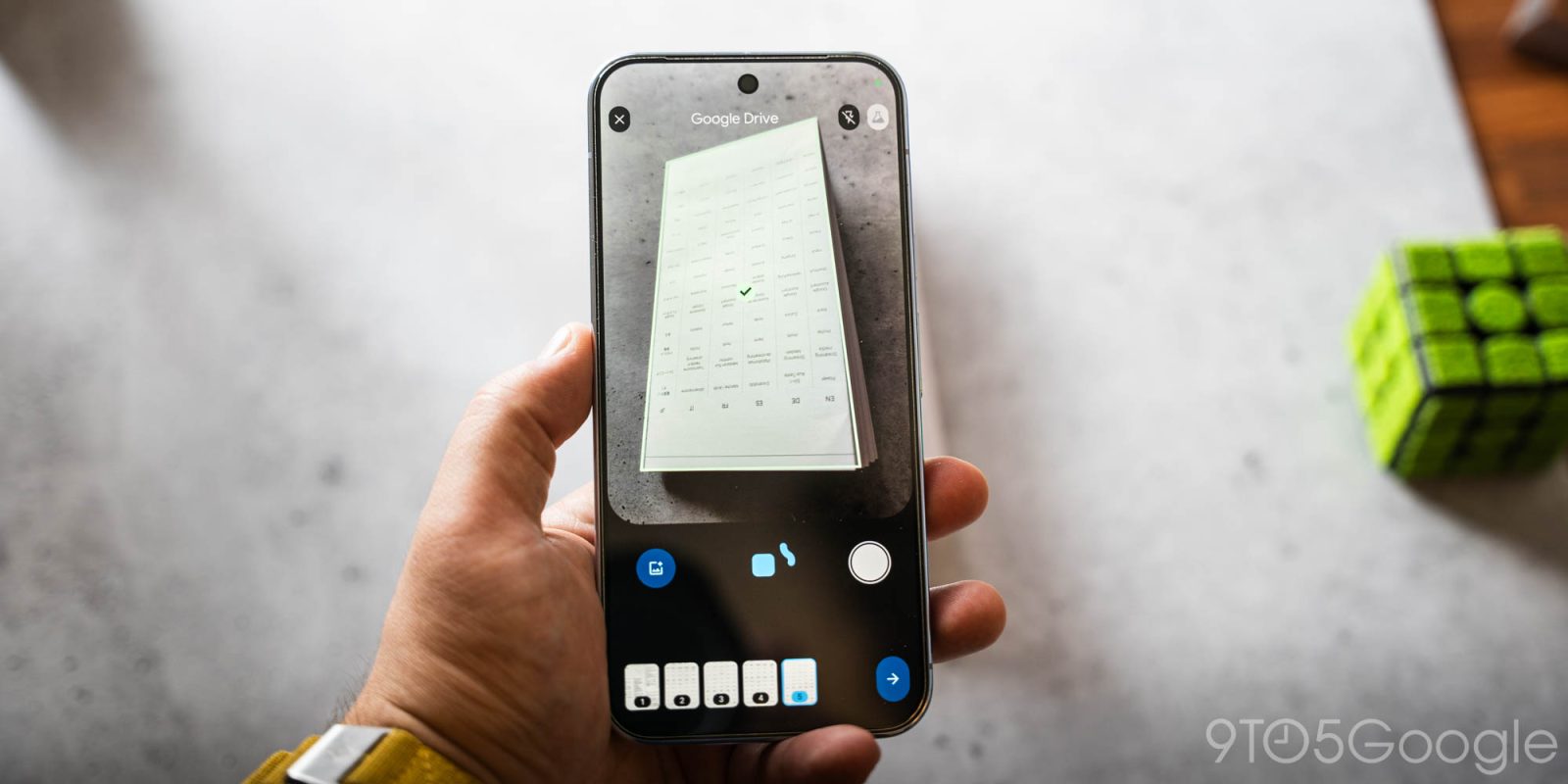
In September, Google started testing a new document scanner on Android, and this Material 3 Expressive redesign is now seeing wider beta availability.
If available on your device, scanning from Google Drive or Files by Google will reveal a “Try the new document scanner Beta” prompt.
Old vs. new (Files by Google)


This “faster, smarter way to scan” can capture “all pages in view at once.” This lets you flip through pages in a book or multiple receipts.
It starts with a Material 3 Expressive redesign where the viewfinder is placed in a rounded container. Buttons for close, flash, and switching back to the old experience are placed in vertical pills in the top row.
The expressive button at the bottom controls auto scanning, with a file picker and manual capture flanking it. The M3E progress indicator around it is squiggly when “Searching for documents” and straightens out when actively “Scanning…” The pill-shaped status indicator can also note when “Page already scanned,” with captures appearing at the bottom of your screen. Tap the bottom-right arrow when you’re done.
Google first previewed this update in September — “You can now easily scan multiple pages in real-time with the interactive Android document scanner” — and we’re now seeing wider availability with the stable version of Google Play services (25.46.32) today.
Google Drive




FTC: We use income earning auto affiliate links. More.




Comments